Data Analytics Feature Updates
As a product designer, along with my every handoff (wireframes, mockups, visual design, video demo, etc), it's every decision I made with the team, and how it influenced the organization at large is important as part of my job. I have showcased here a few of the major features which required UX uplift.
Related Casestudies : ML Based Maps Interface | Design System Initiative
My Role & Our Team
Lead UX Designer
UI Developers
SCRUM Team
Stakeholders
My Responsibilities
Feature Roadmap Setting
Translate Business req to functional features
Liaison between stakeholders and Dev Team
Best Practices
Design Systems
Video Demo Prototype for Interaction
Heuristic Analysis
Recommendation Presentation to Stakeholders
Brainstorming
My Contributions

Projects

Feature Updates

Implemented Features

Teams

Users
My Process & Questions for Feature Updates
Most of the time, while designing for complex workflows in an enterprise application, it is easy to miss out on crucial aspects of the product features. I follow many techniques based on the stage of the project I get involved in the project. I am already into the project, I wouldn't do a heuristic evaluation, but when I start with a new project say in the middle of the sprints at Sprint 625, I will do a heuristic evaluation. Along with that, I will also ask the below question when I have an idea of what the user need is - a real user and how I am planning to address it to verify it. This way I catch any UX problems while designing the feature.
I will also research Web Analytics on the usage. I look for answers for the questions around the below topics from various sources: Goals of this feature, Users - specific to this feature, Existing patterns, Conceptual parallels, Prior knowledge, Complexity level, Physical context, Temporal context, Trigger, Settings, Preconditions, Need to know for Users, Progress, System feedback, Errors, Frequency, Accessibility, User roles, User onboarding, Empty states, Technical constraints, Design system, Simplify, Naming, Publicity, User feedback
Products I owned and supported for UX:
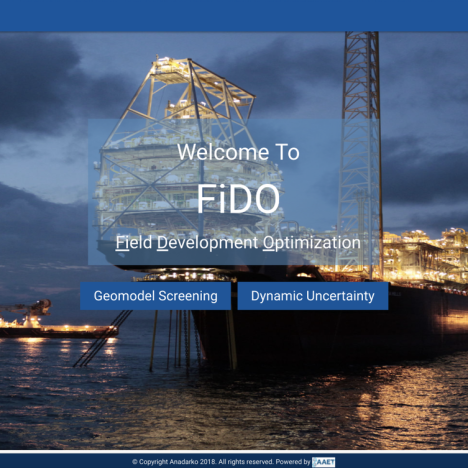
FIDO
Field Development Optimization
FIDO
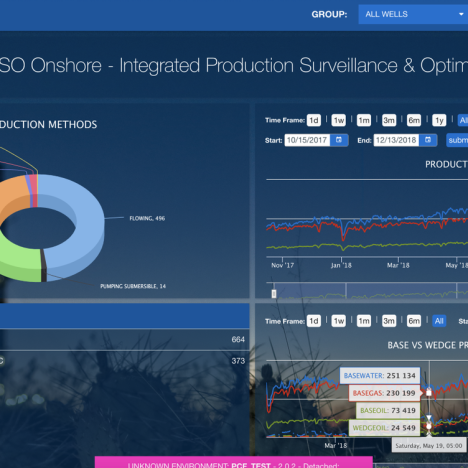
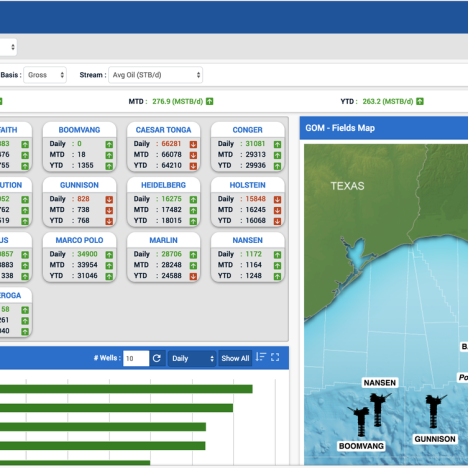
Features Updated :
- Design for Create, Update, Delete Projects (New Module - Development Optimization, Dynamic Uncertainity)
- Design for various sections as tabs, and forms (New Module - Objective Function, Proxy Model)
- Page design for: Settings, Replace and Export data etc
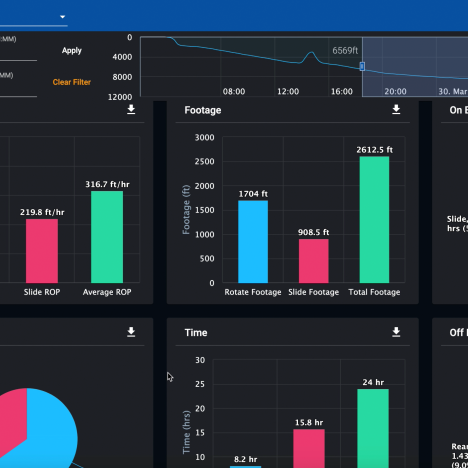
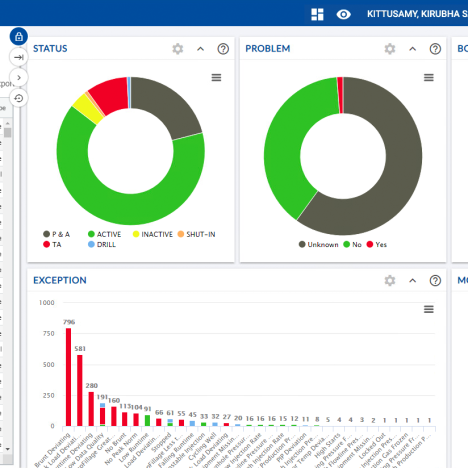
Feature Update Examples
Feature Updates: Example 1
For Existing Products
Existing Projects, where there is a good amount of work is already going including user research and the team decides to add features to their product, they need the support of UX. When I get introduced some of the scenarios will be known some of the scenarios will not be known. In case of a known scenario, I dive directly into the project to start wherever it is. I will work with the SCRUM team to understand the requirements and attend sprint planning, daily scrum - all the sprint events to provide value to the team by enhancing the UX. Even though I know about the project, I will walk through the current application with the users, then go through the requirements with the product owner, talk to the stakeholders, UI team, scrum master to understand better.
Given below are my works on feature updates for :
Results
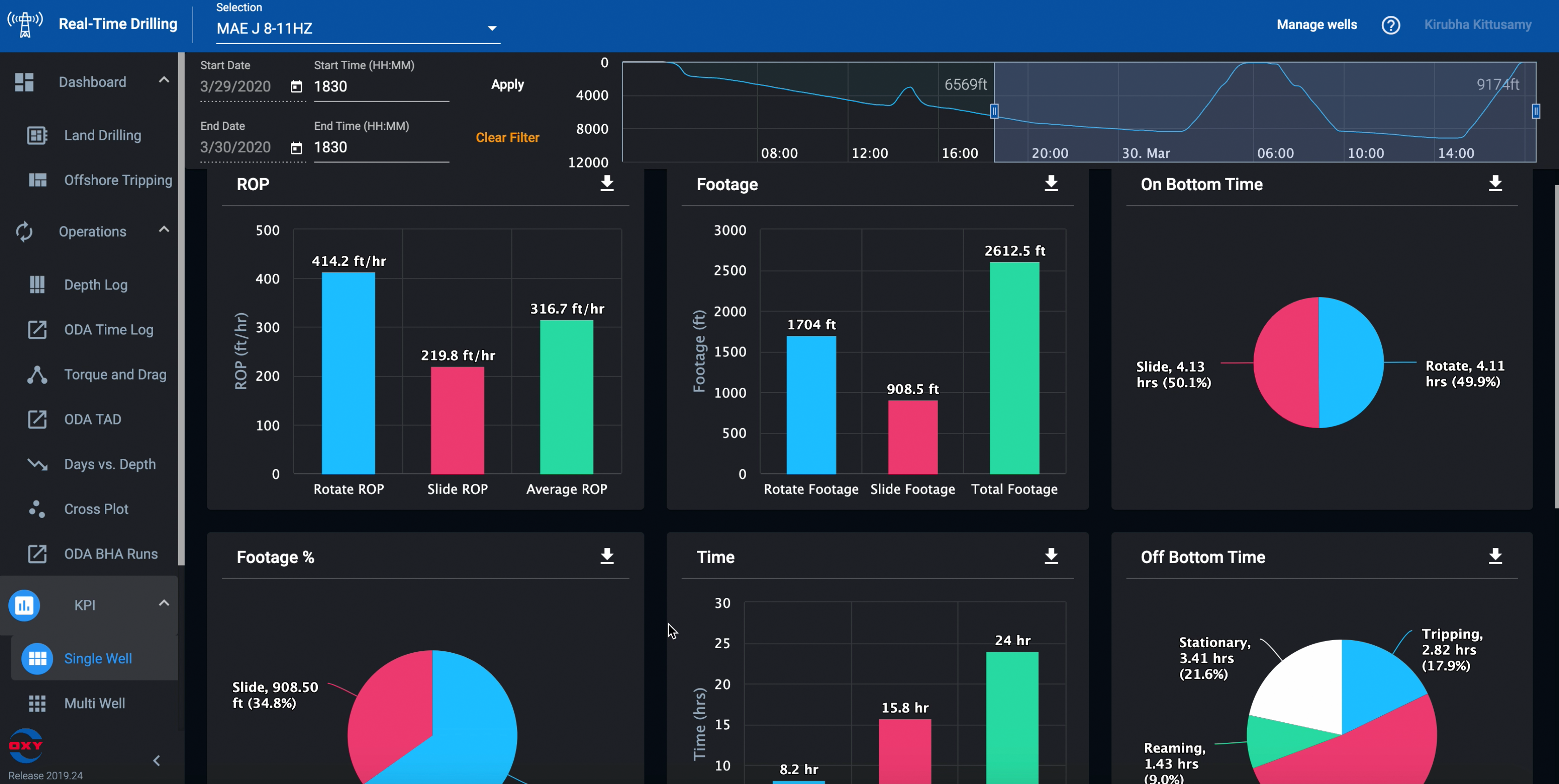
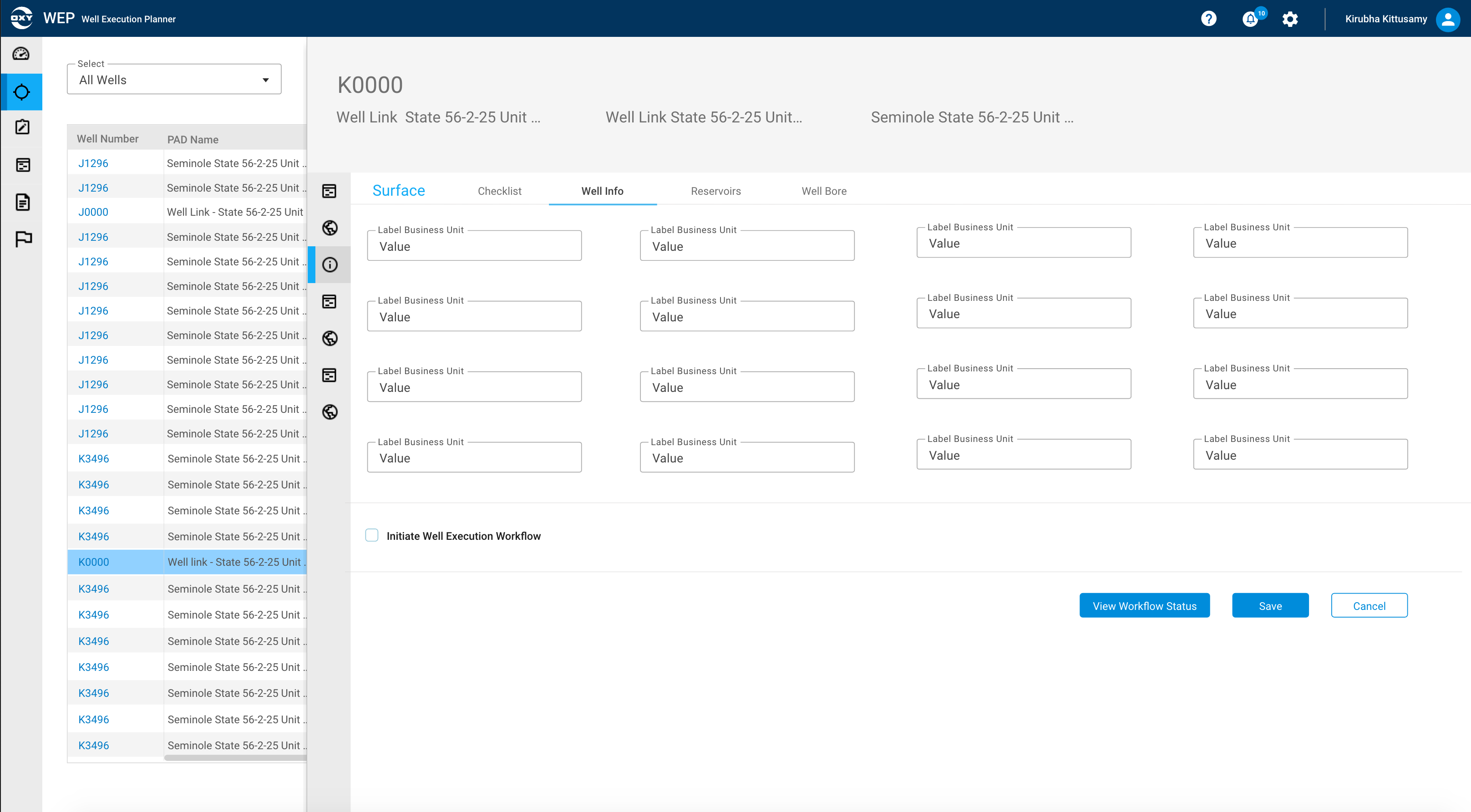
Adding this feature helped the business in Cost-saving and Time-efficient for users to look at "well" information within this product, instead of switching to other products.
After : Implemented Legend & Layers Panel
Milestone Tracker
CHALLENGES
- Well status tracking schedule was not in one place.
- Driving improvements to the schedule was time-consuming
- Various application for various disciplines for the same segment
TIMELINE
2 months
RESPONSIBILITIES
Interactive prototype
Video demo
Hi-Fidelity Mockups
Whiteboard sessions
OUTCOME
- Status Monitoring was made possible in one single screen
- Input & Output happened within one application
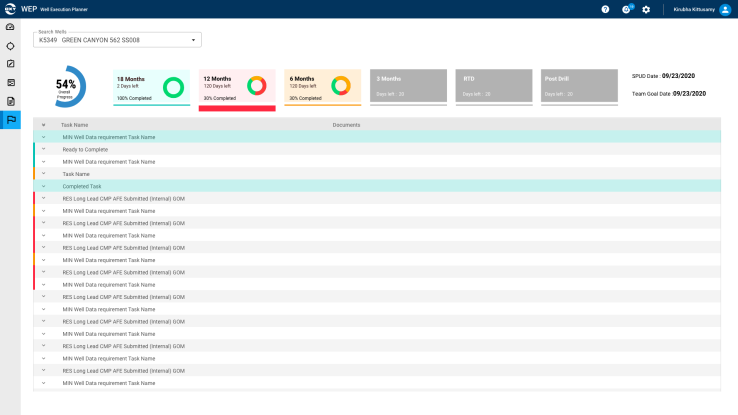
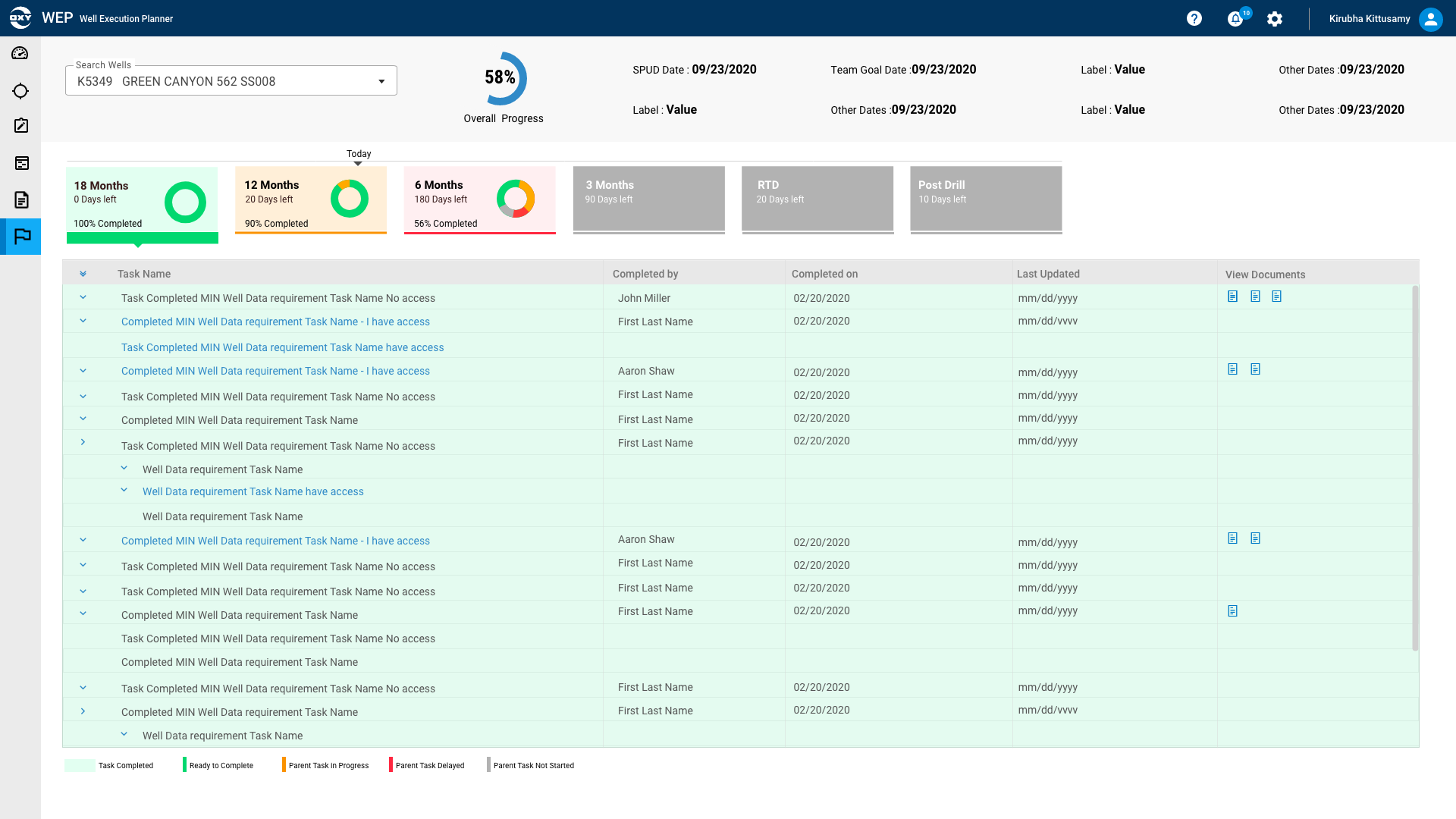
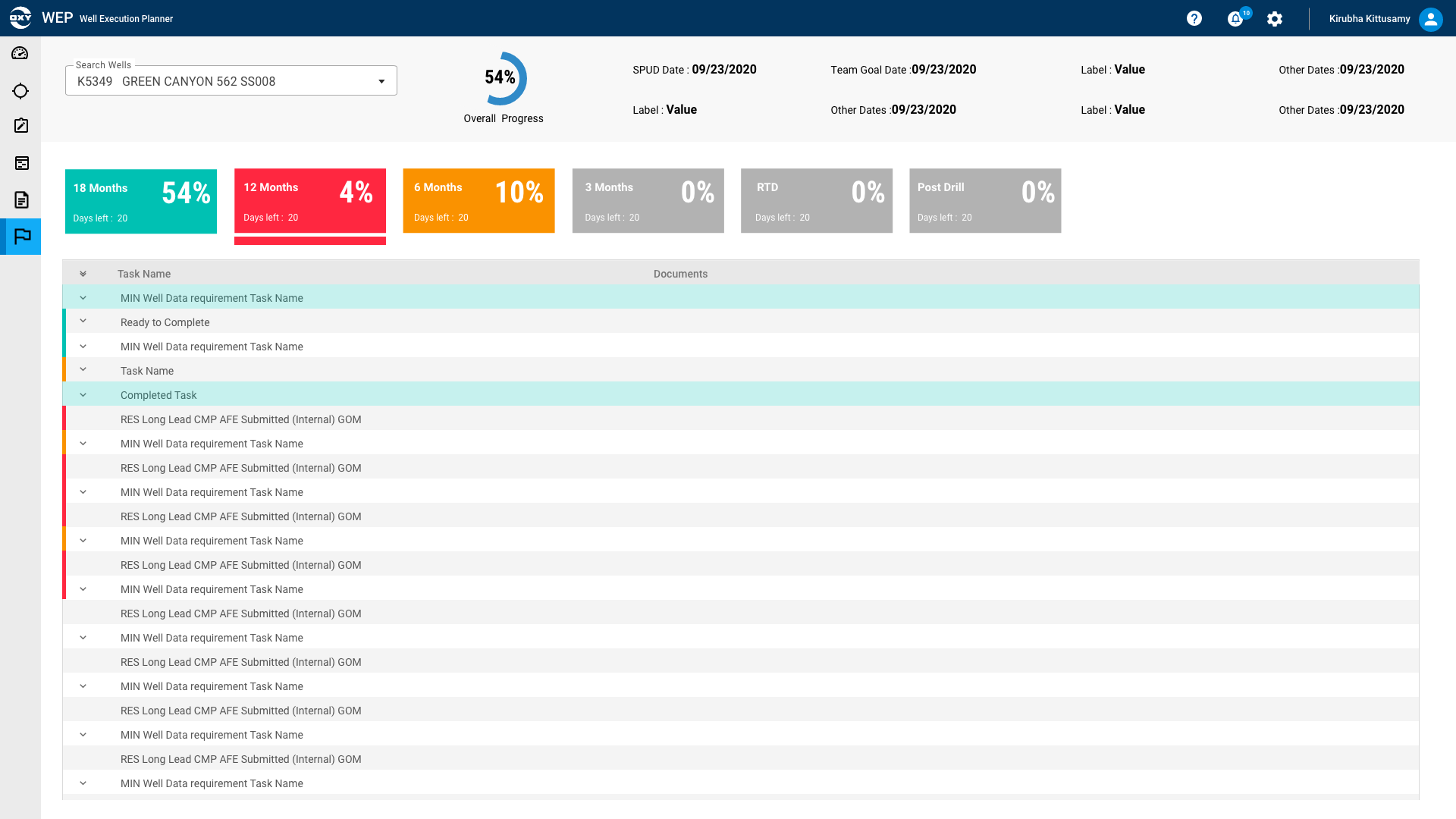
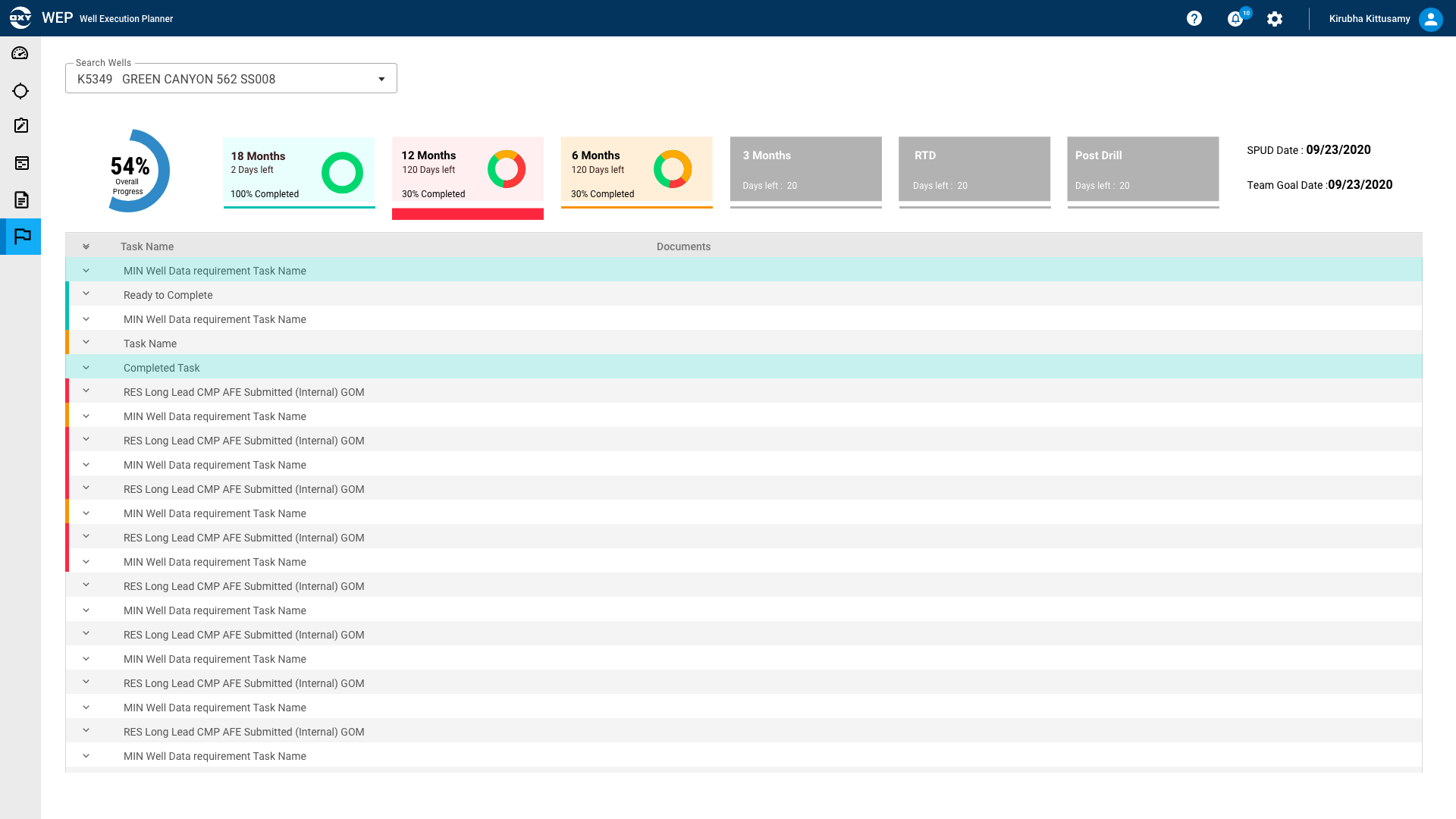
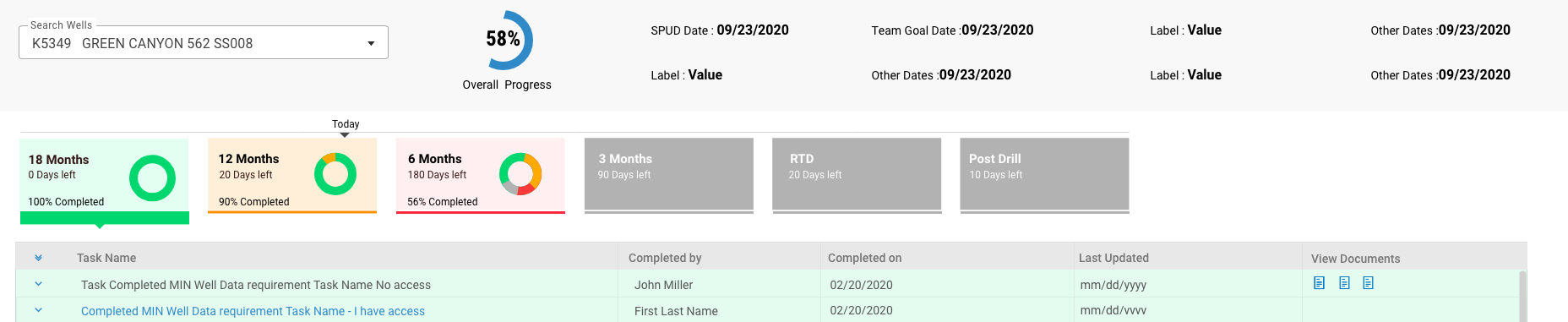
Feature Overview: The Planning & Execution Team wanted to track the well status and get auto-notifications.
"Ask": Their specific requirements were to have an input screen by disciplines, output screens to manage the business (schedule and metrics) status monitoring cycle time measures to drive improvements. They asked the UX team to help with concepts for the above requirements. I worked on other features of this project and this feature took 2 months for requirement gathering and concept creating & prototype.
Wireframe Flows - Hi Fidelity - Milestone Tracker Flow
Link to Adobe XD Prototype : Milestone Tracker

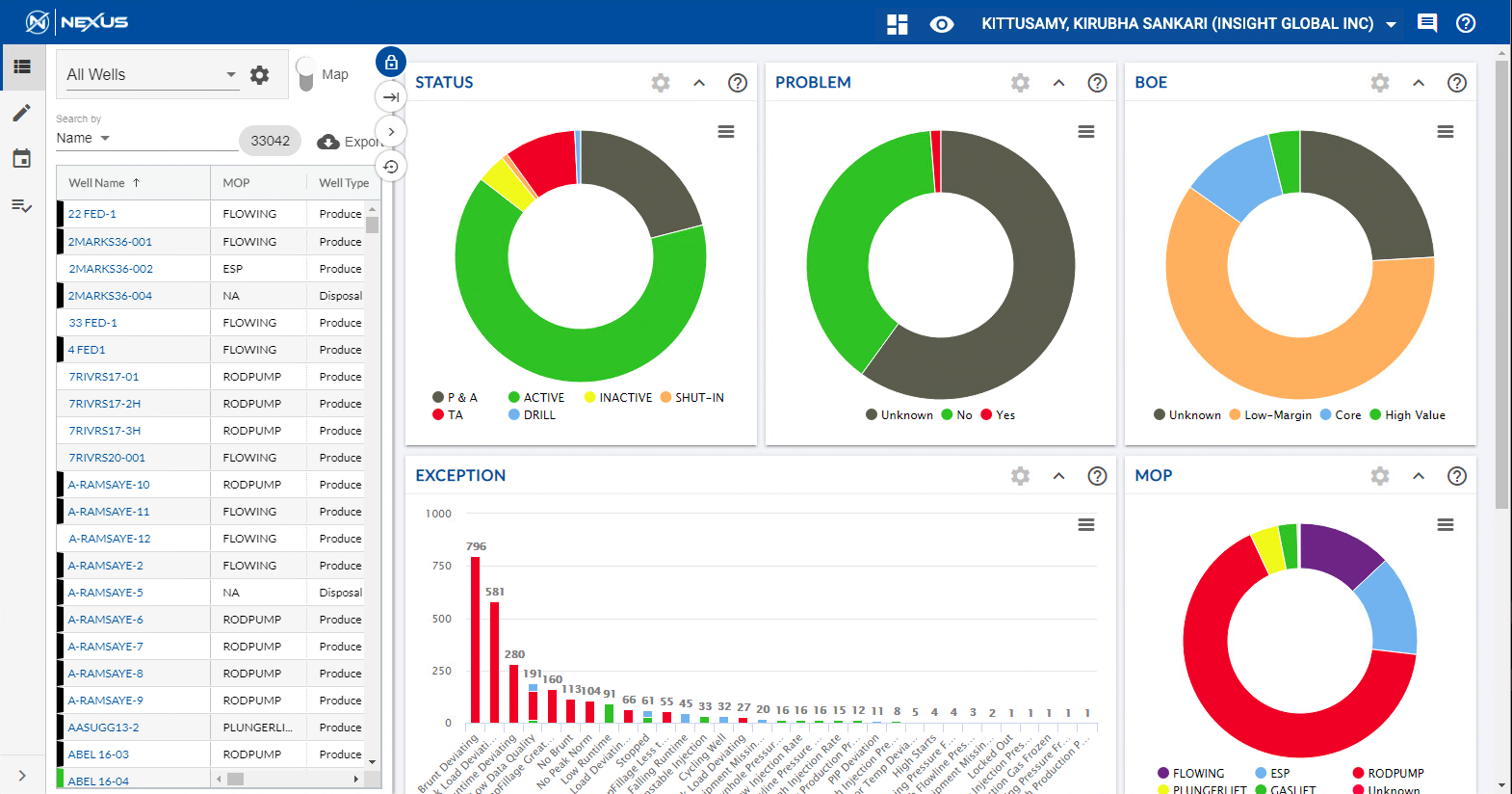
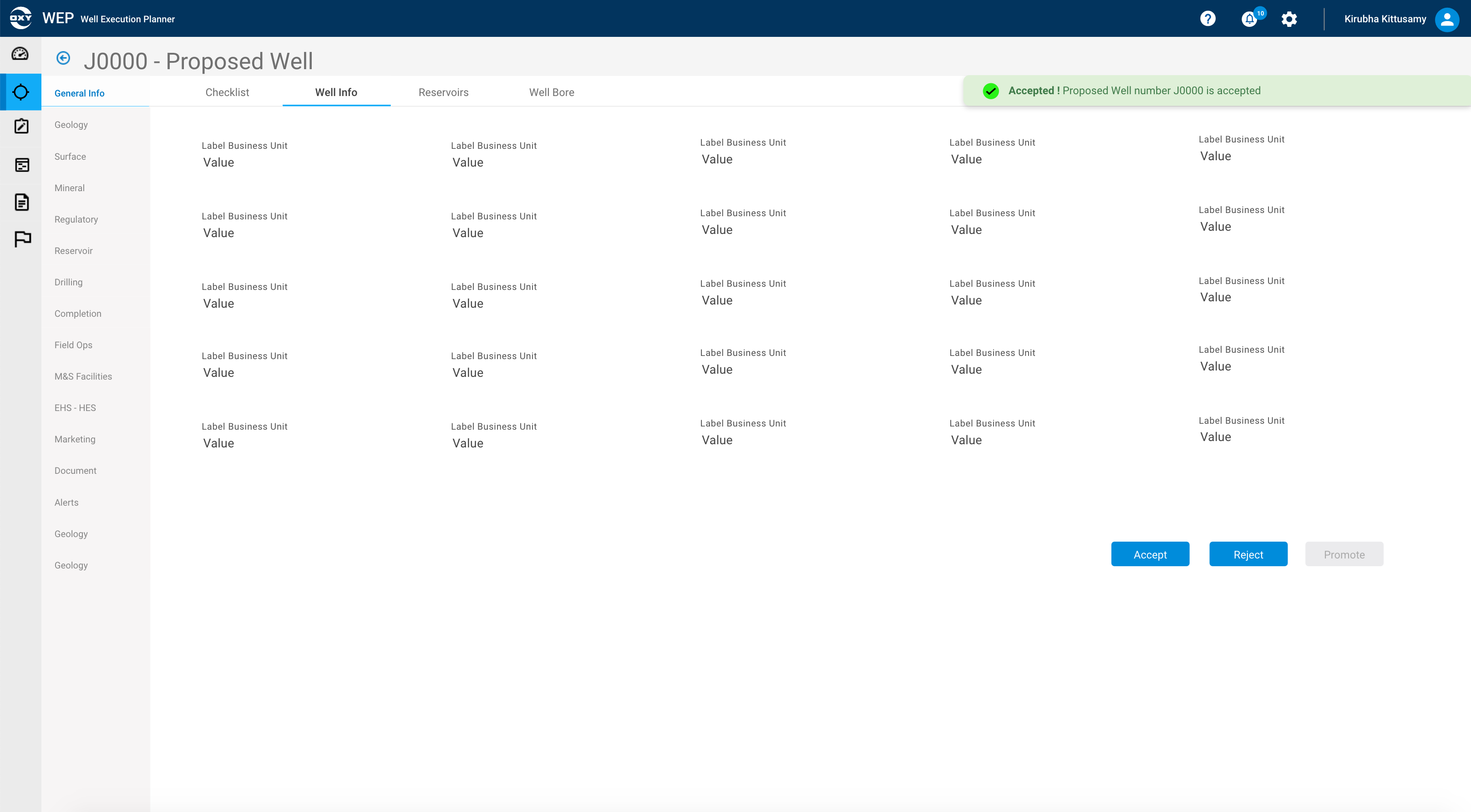
Search & View (Wells)
CHALLENGES
- Perform an efficient search for view well information from various assets
- Display results for productivity
- Adopt Design System Components
TIMELINE
2 months
RESPONSIBILITIES
Interactive prototype
Video demo
Hi-Fidelity Mockups
Whiteboard sessions
OUTCOME
- Adopted Design System Components
- Search, Search results, Filter features provided good user experience and improved productivity
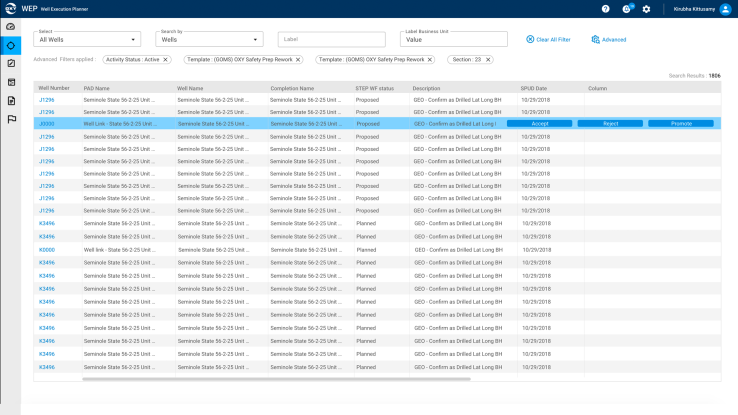
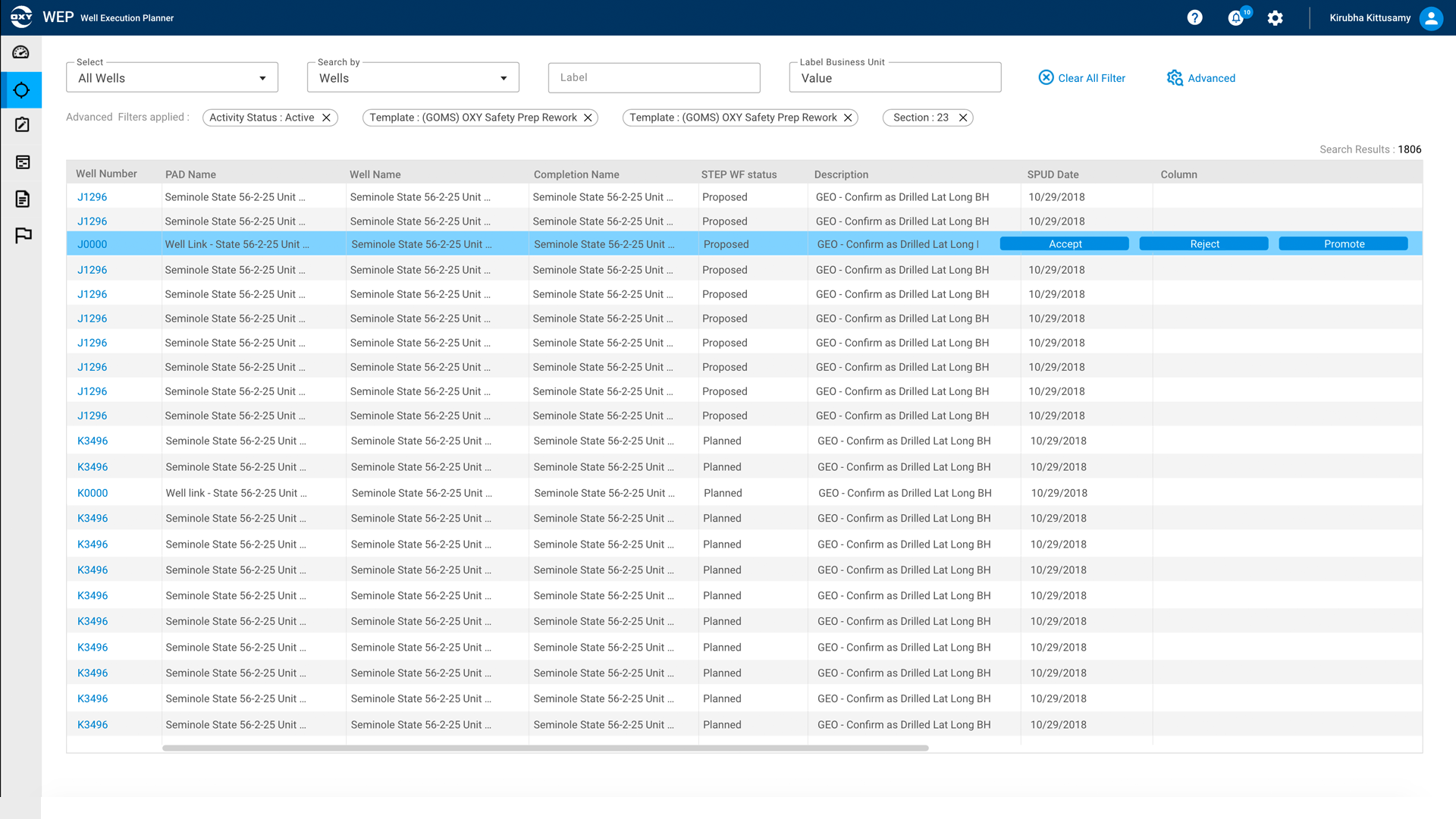
Feature Overview: Well Life Cycle Systems Team wanted to look at well information, by searching various assets (areas)
"Ask": Search & Filter the results, provide features that increase efficiency and productivity. Make the existing product features into modern UI matching the Design System components.
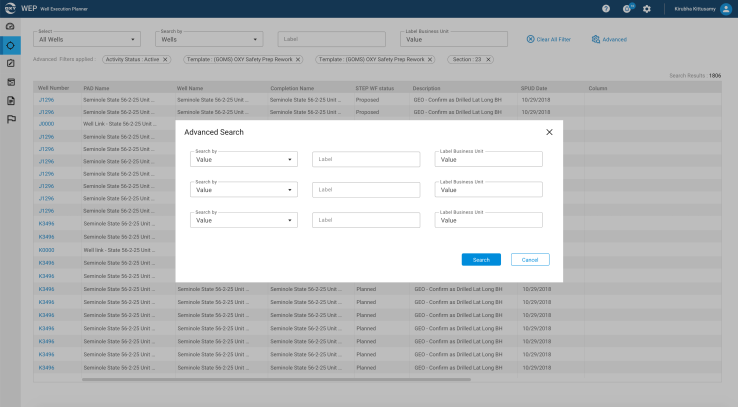
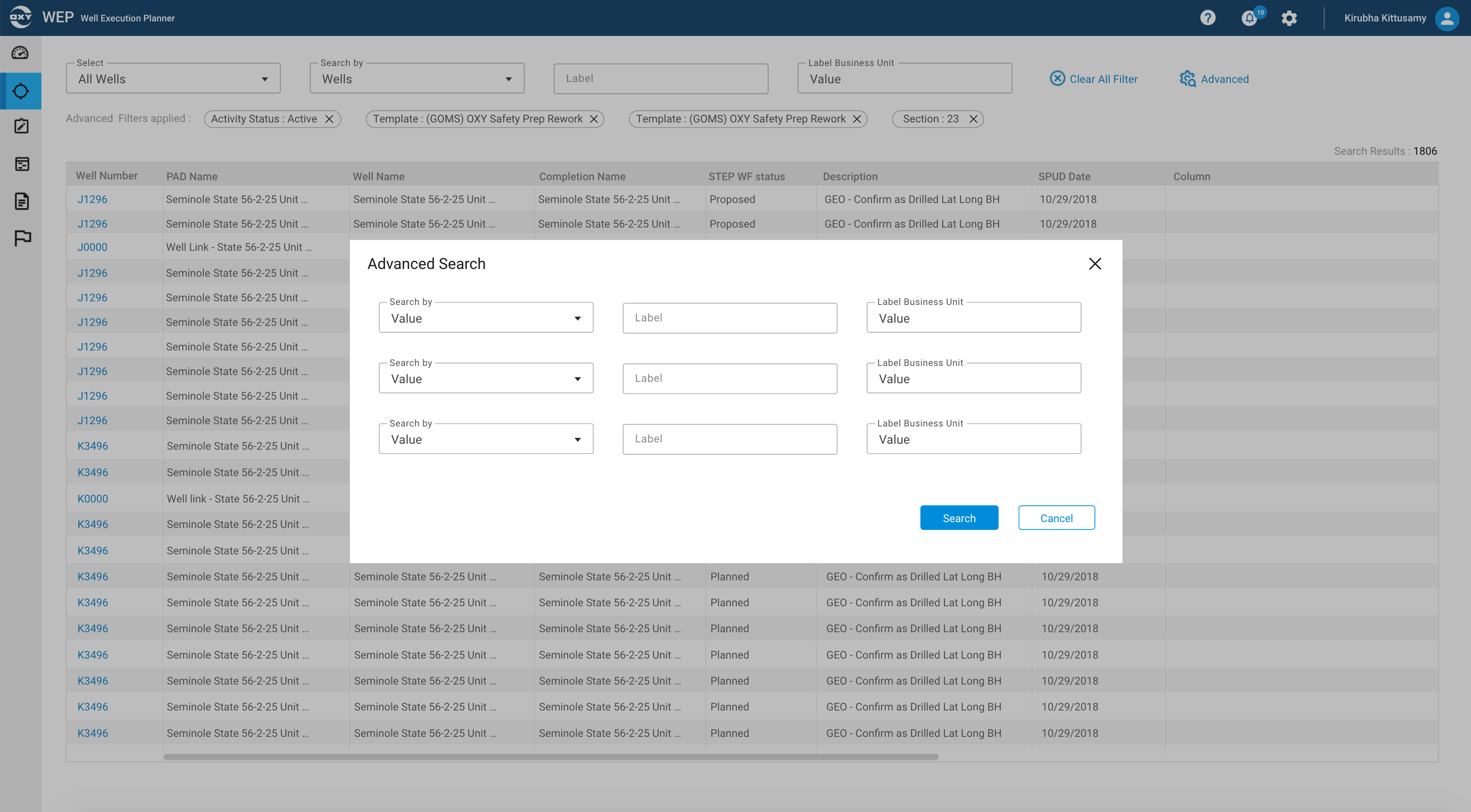
Some of the UI options as part of Search & View :
Well Search Advanced-
Option 1 - Advanced search as expand collapse
Option 2 - Advanced Search as a Popup
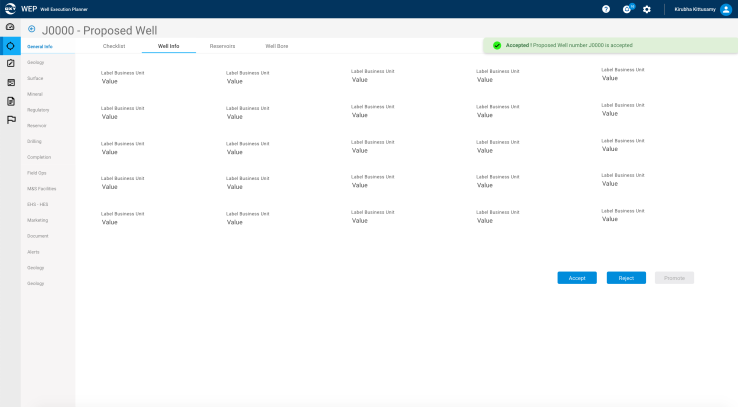
Well Search Results - Actions for Planned and Proposed Well
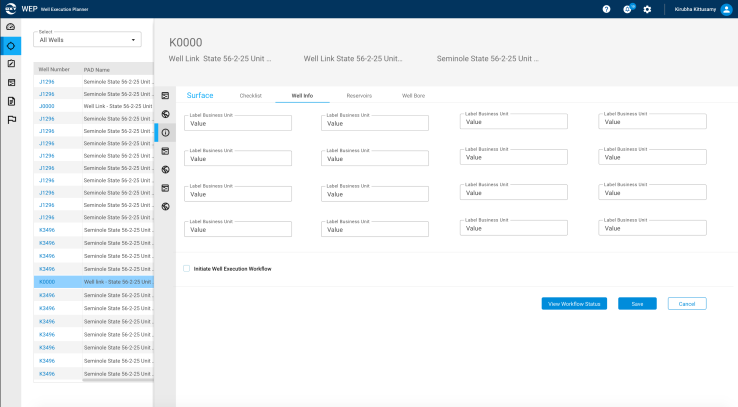
View Well Information (Proposed, Planned)
Option 1 - Open on the same page
Option2 - Opens on top of the well search results
Wireframe Flows - Hi Fidelity - Well Search & Search Results with View Well.
Link to Adobe XD Prototype : Search & View
Results
Adopted Design System Components. Search, Results, Filter features provided good user experience and improved productivity.
Search, Search Results, View Well Information - Interactive Prototype - Video Demo
Feature Updates: Example 2
For Multiple Products (known scenarios)
While working on multiple products, there are common features which need to be designed for all the products, some of them are released as part of the design system, Some of them has to be tried on one product to make sure it is successful to implement and customize for others. These requests came from as part of the Product Roadmap or as User feedback. Sometimes Product owners hear the same feedback for a couple of other products which is prioritized to add in all the products.
Refer to the Design System Casestudy to go through the designs of the common components for multiple products. Below are some of the features as part of one product that was proposed to implement for multiple products.
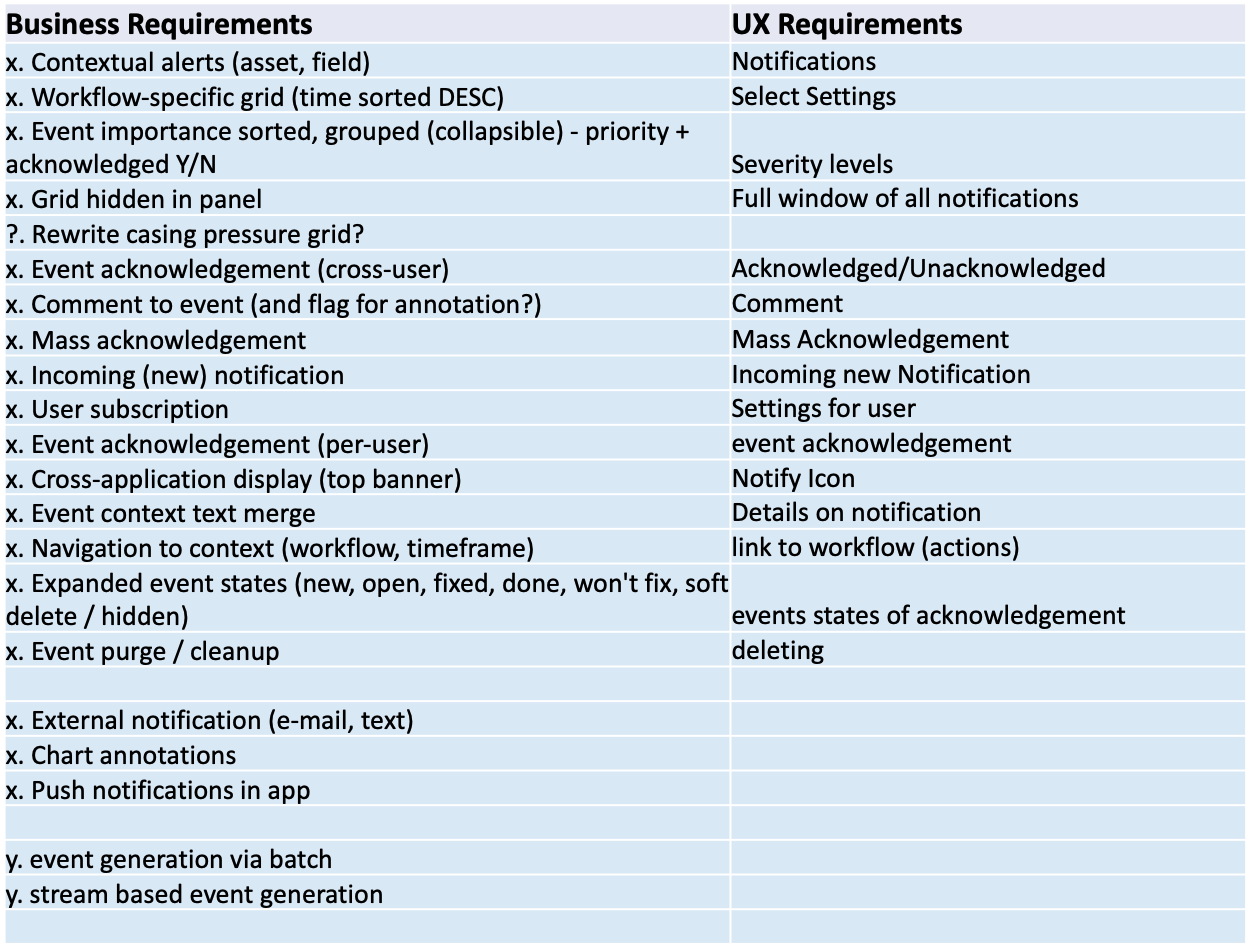
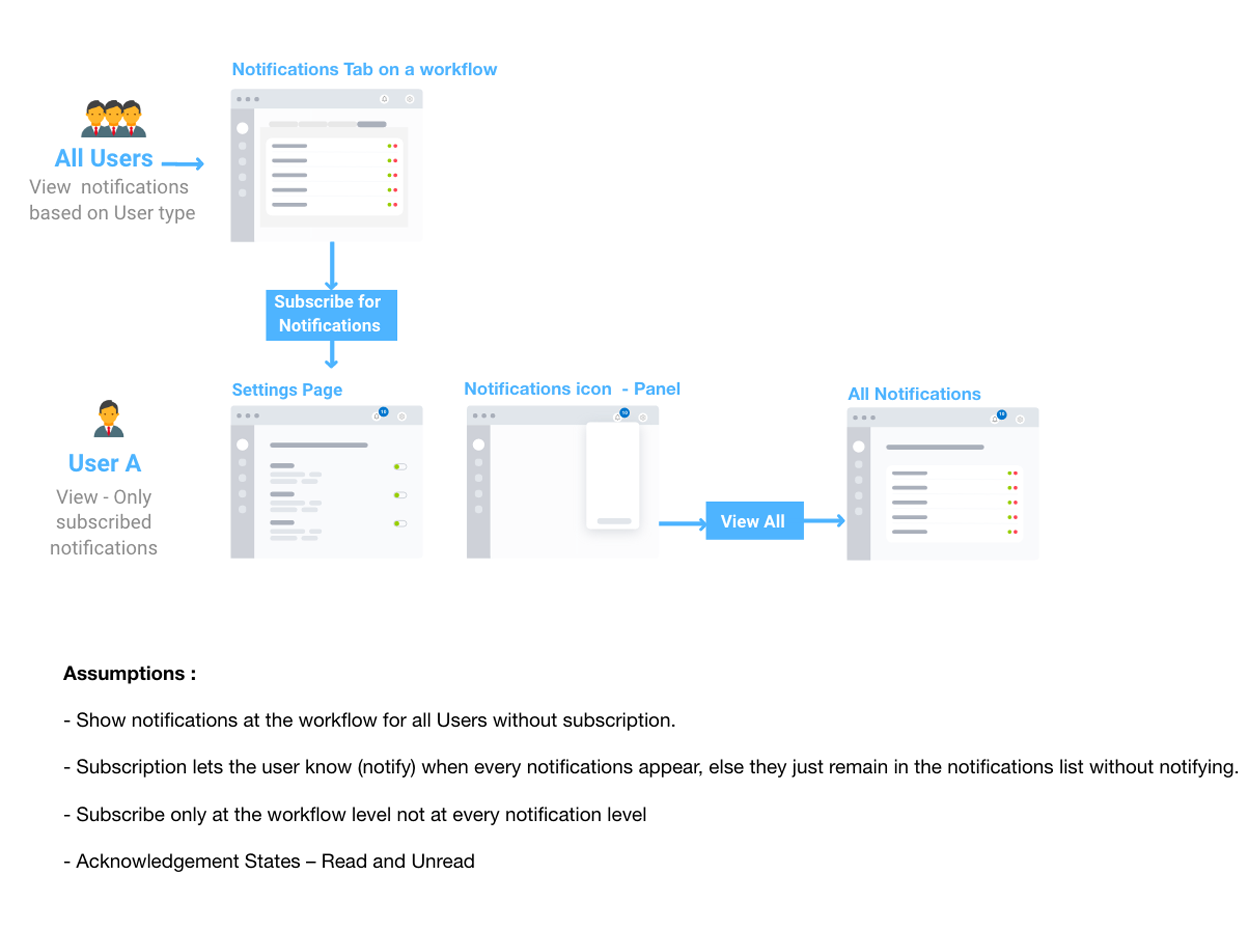
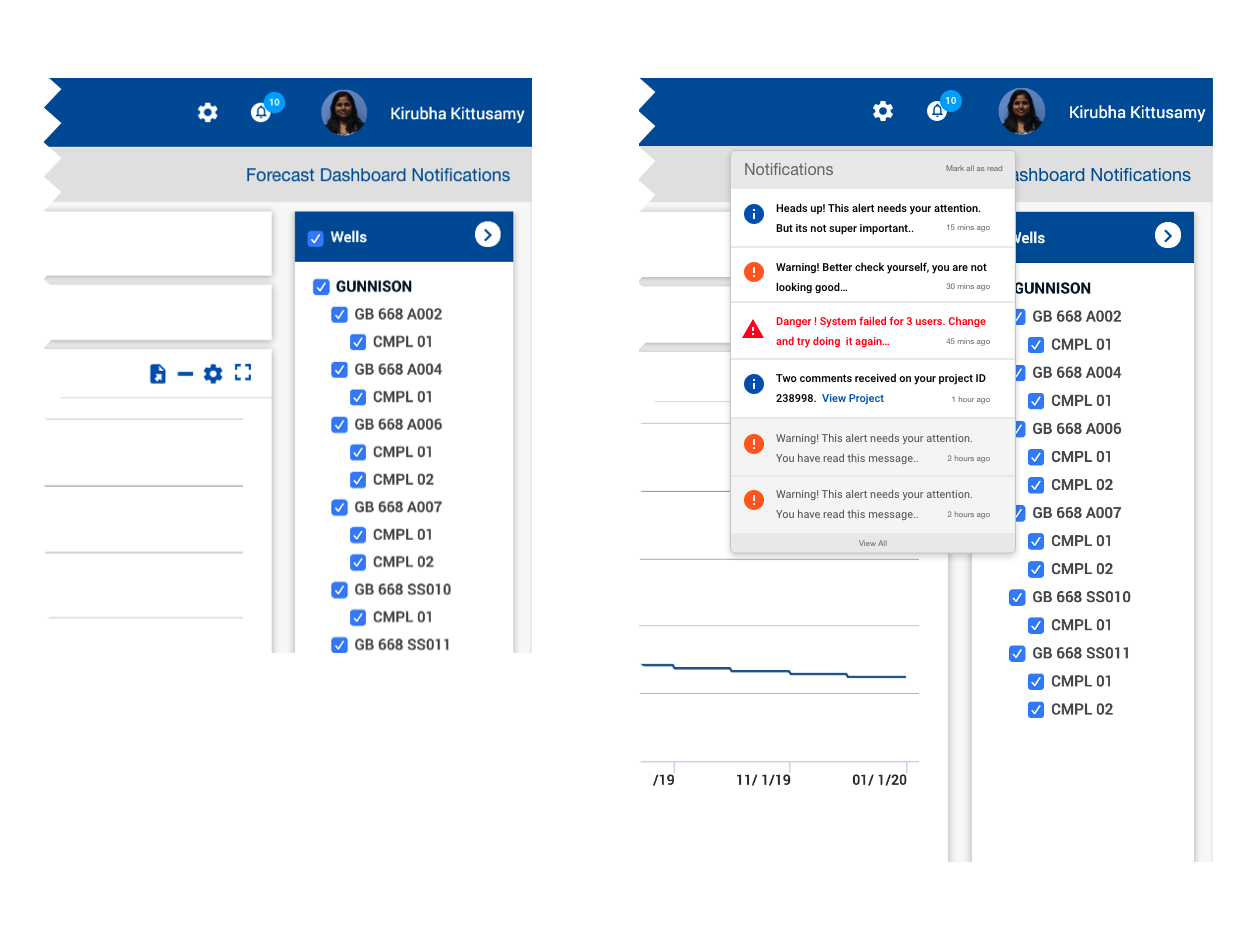
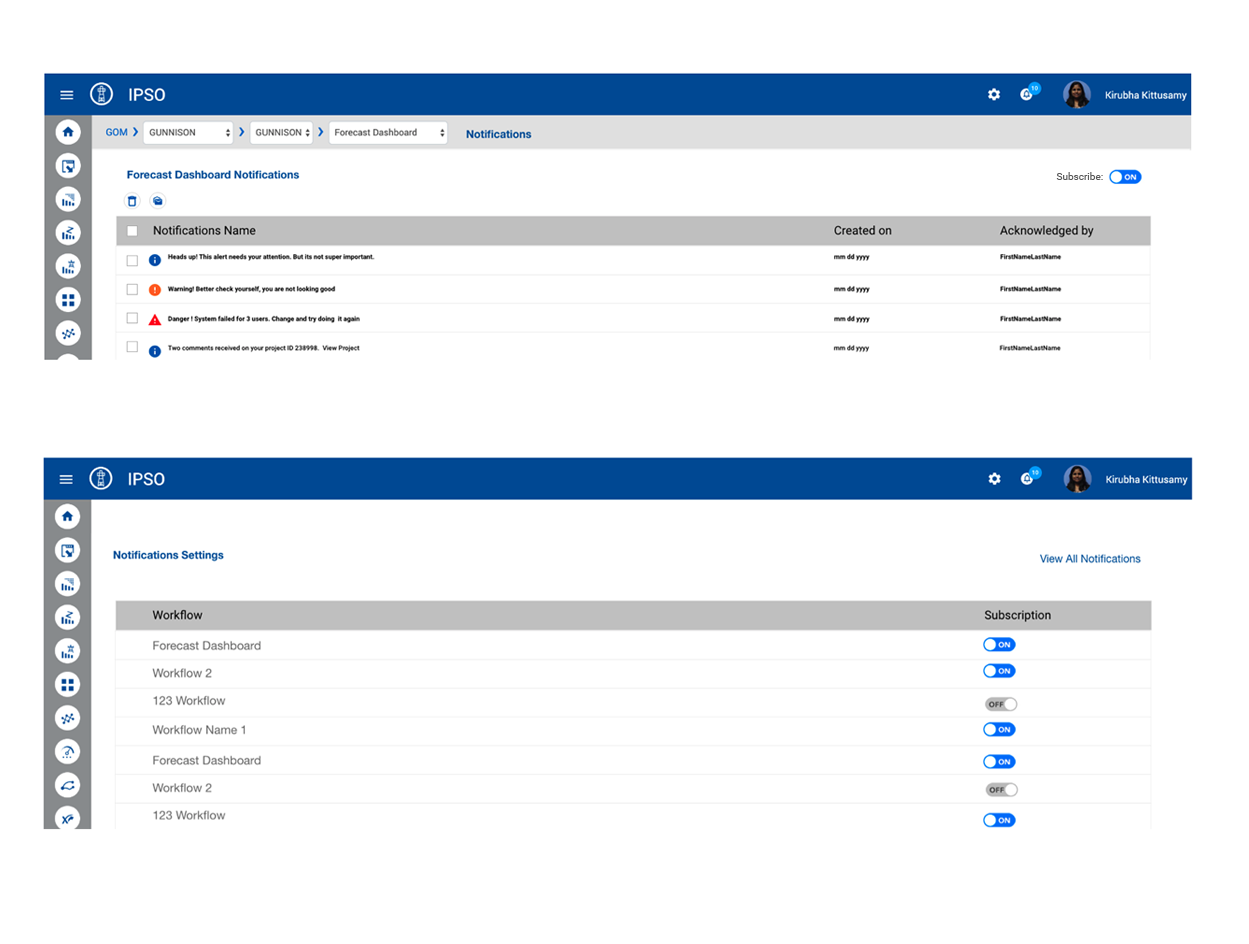
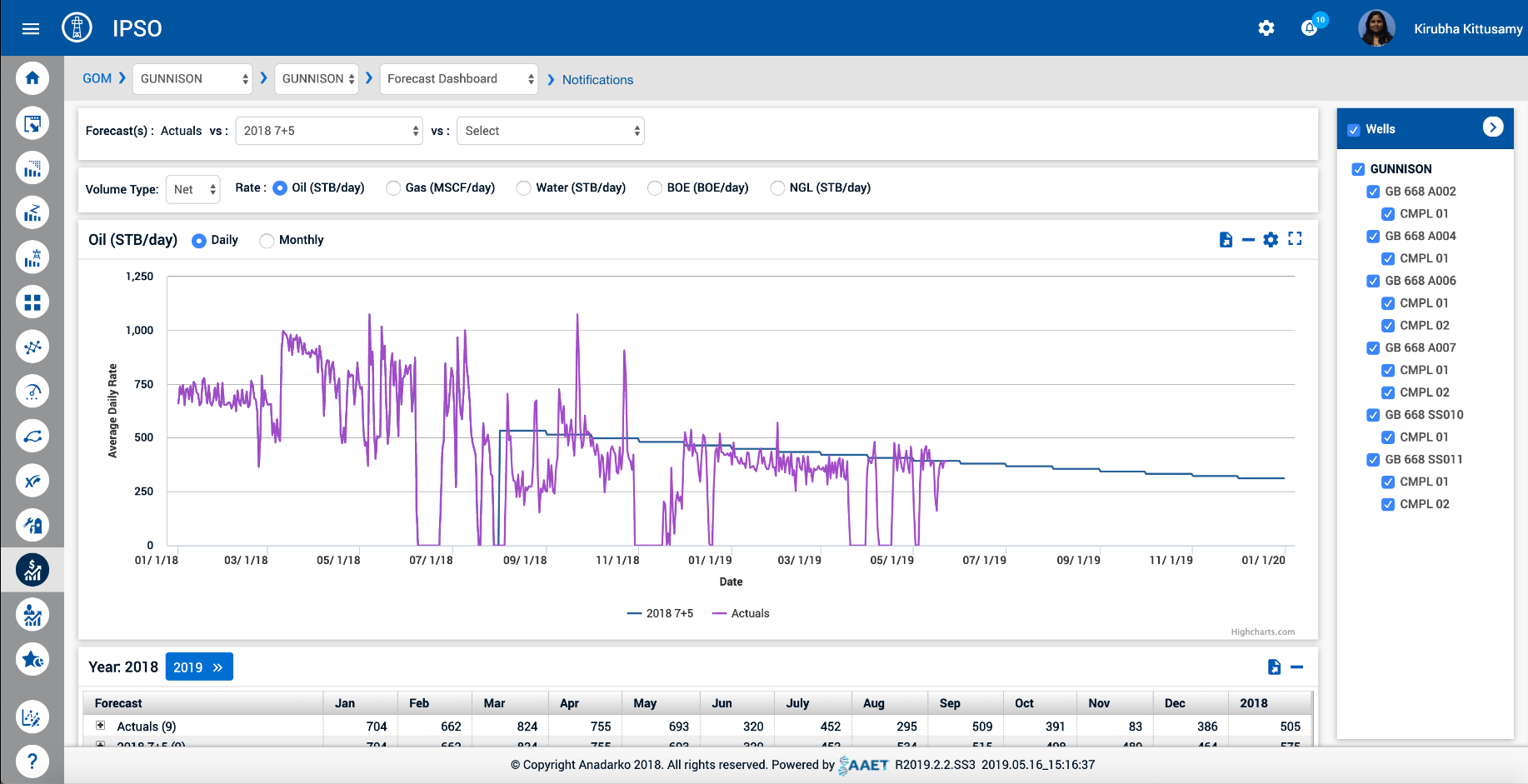
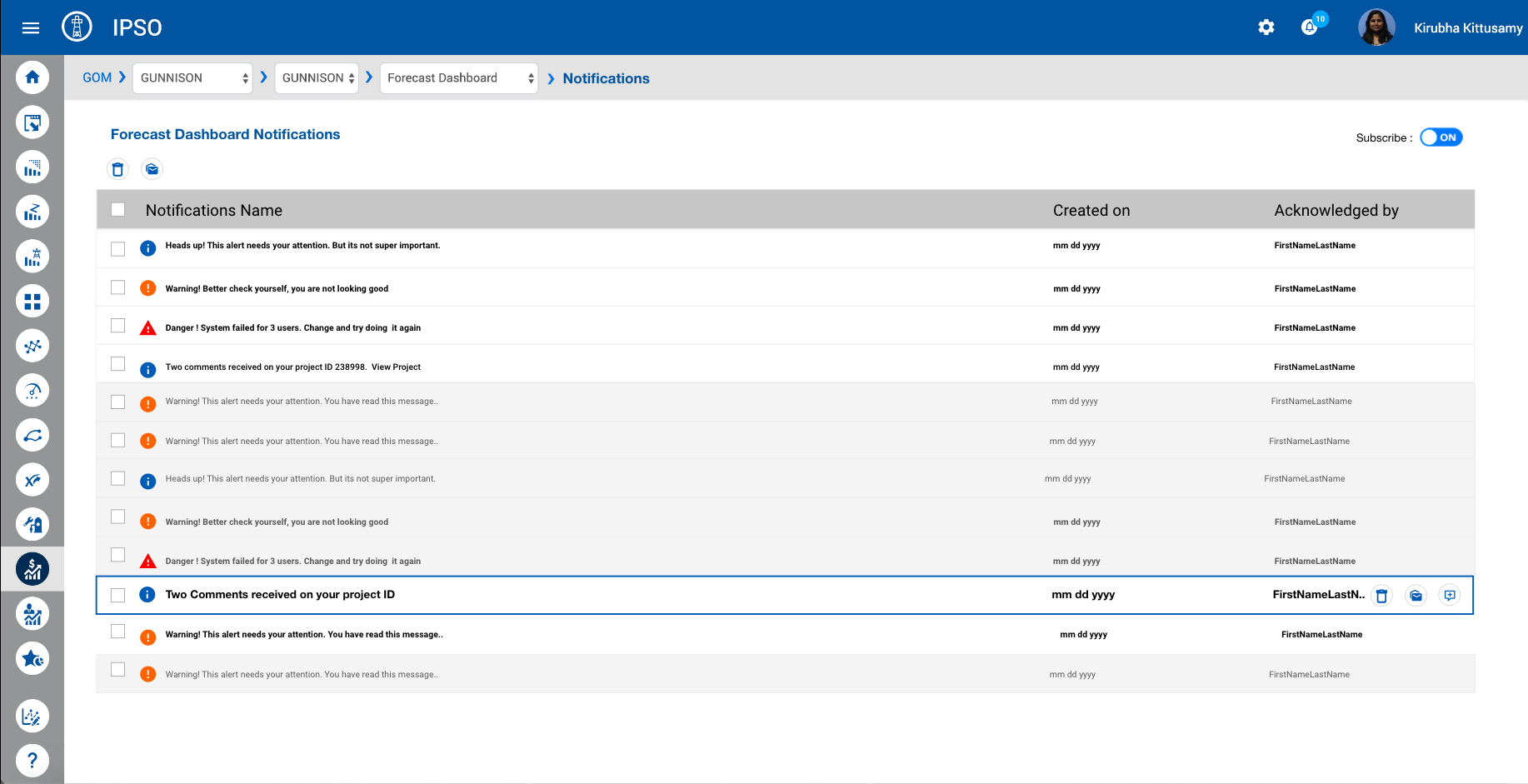
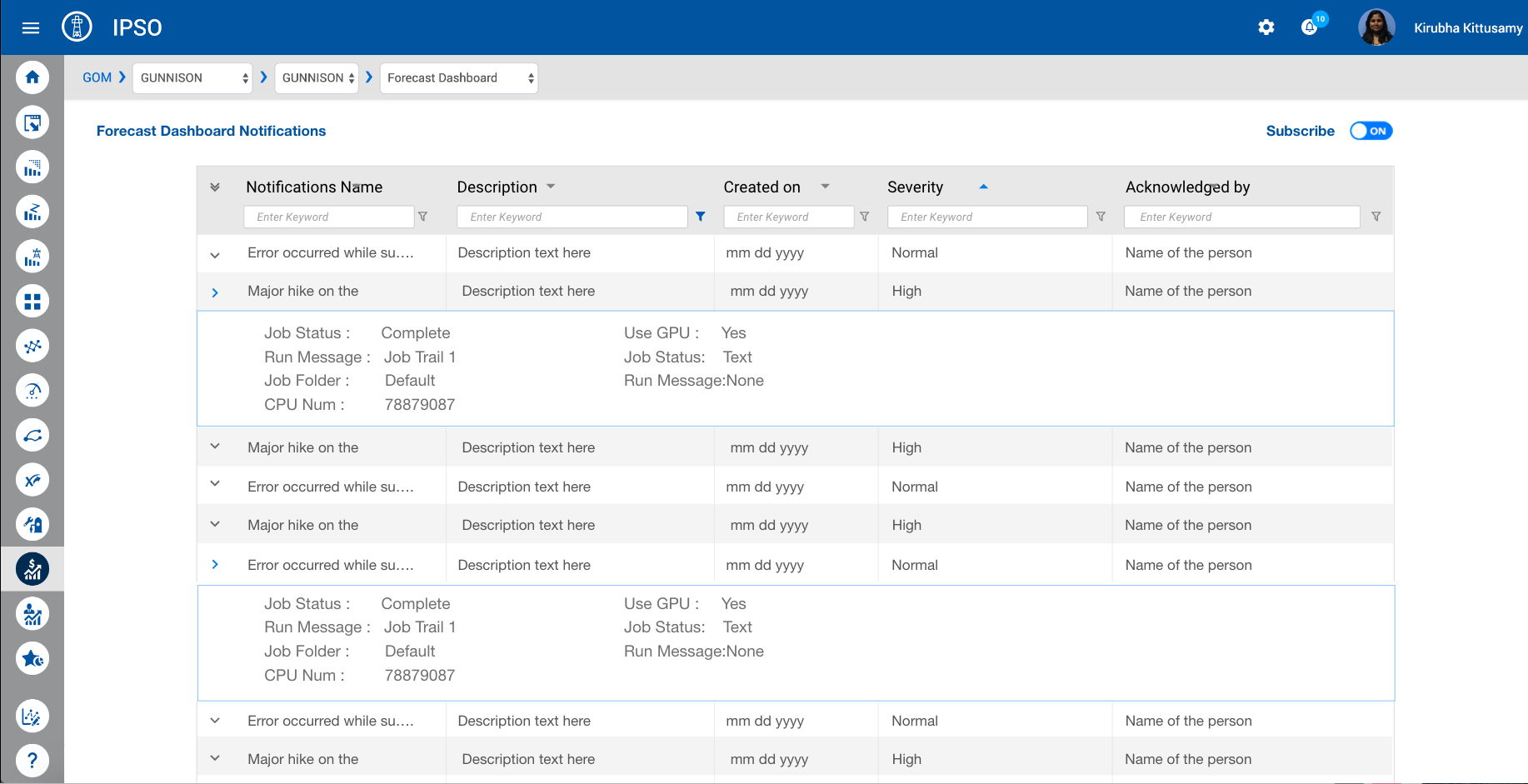
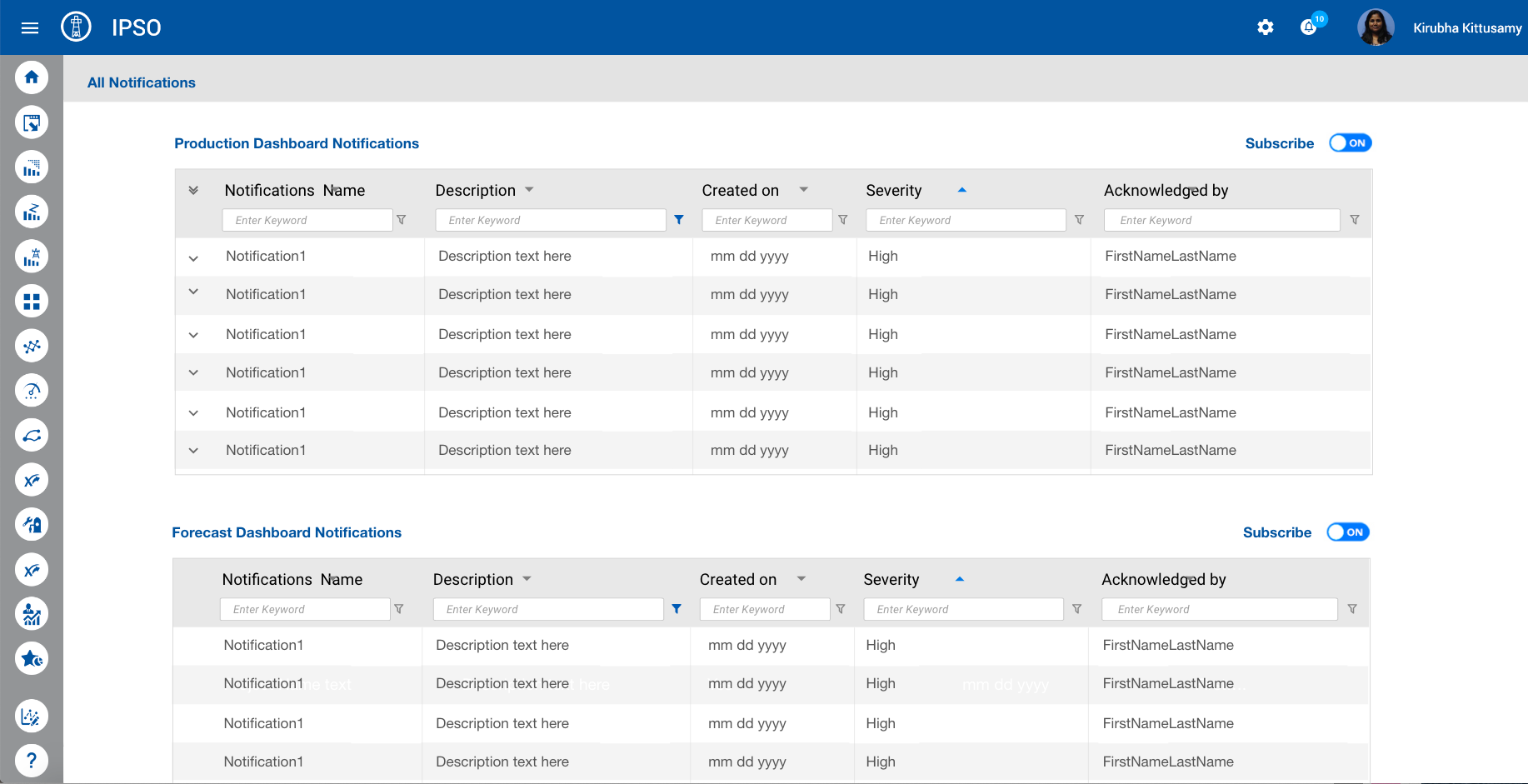
Notifications Design
Notifications across products weren't consistent, also a major UX problem in one of the products triggered in designing for notifications.
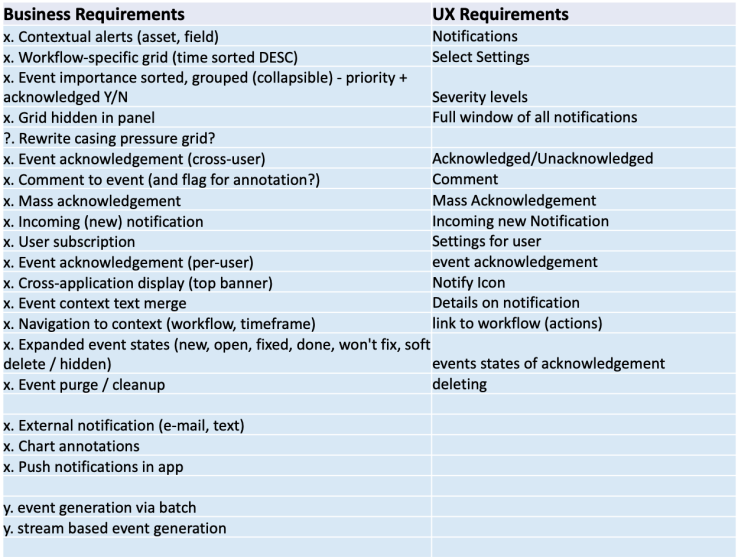

What is in a Notification?
To better understand the workflows in this tool and the level of user experience it provides, I did a current state analysis of the workflows and a heuristics evaluation.
Where to find Notifications?

Where to find Notifications?
Notifications Icon – View All – All Notifications and Notifications link at workflow level – Notifications page for that workflow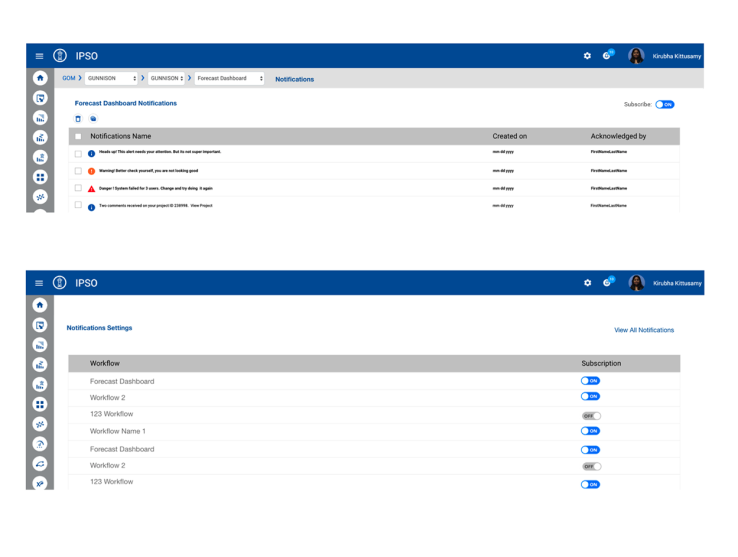
Results
One product started to consider adding the notifications design in their backlog, other products will soon follow based on the results of the implemented product.
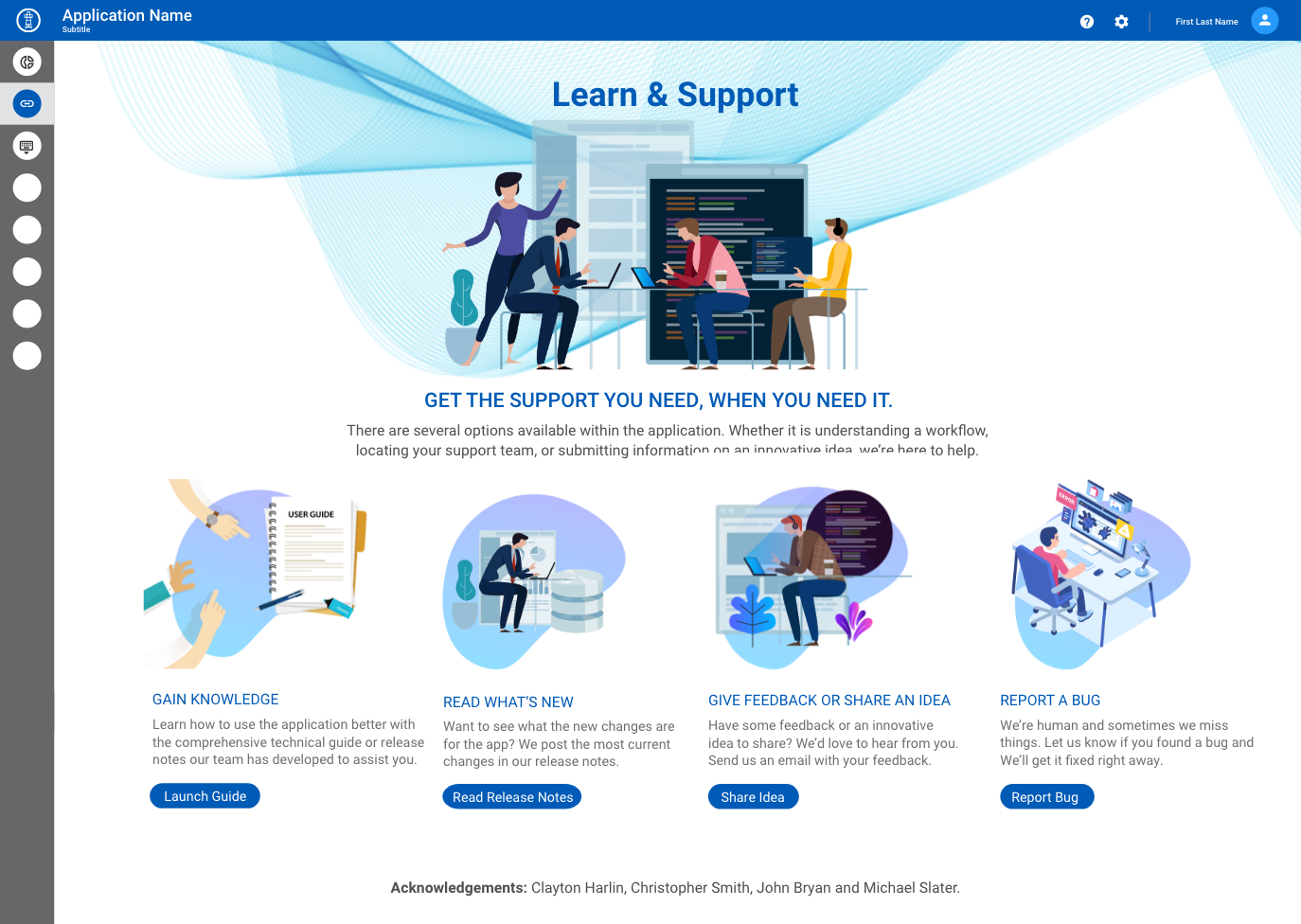
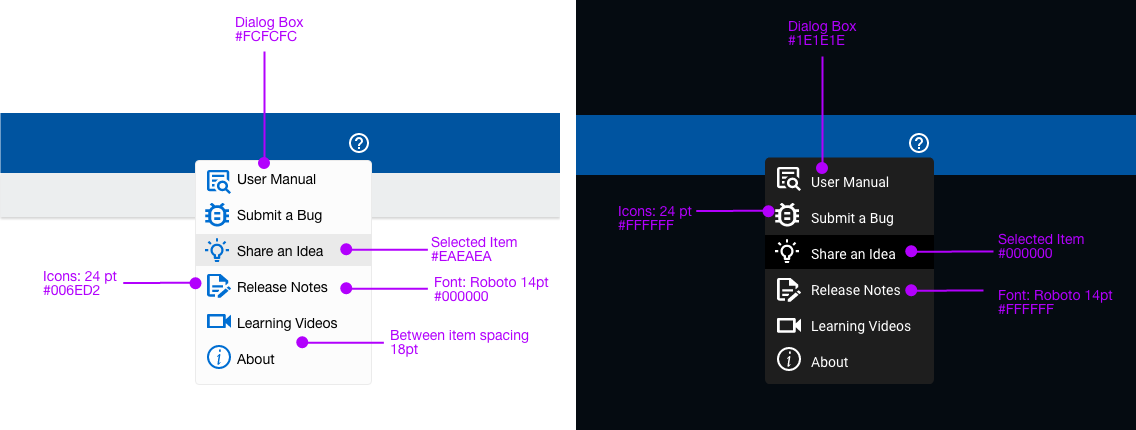
Support Redesign
Problem: Inconsistent hierarchy of support features led to more support phone calls to the call center and more tickets created for not able to find "help" in the application.
Recommended Solution
My team, we proposed a solution to have a single page where any users - can look for help documentation, create a ticket, and gain knowledge about the application. It was consistent across all products.
Feature Updates: Example 3
For Complex Products (unknown user scenarios)
I recommended features and updates needed on a project, based on UX review of a project
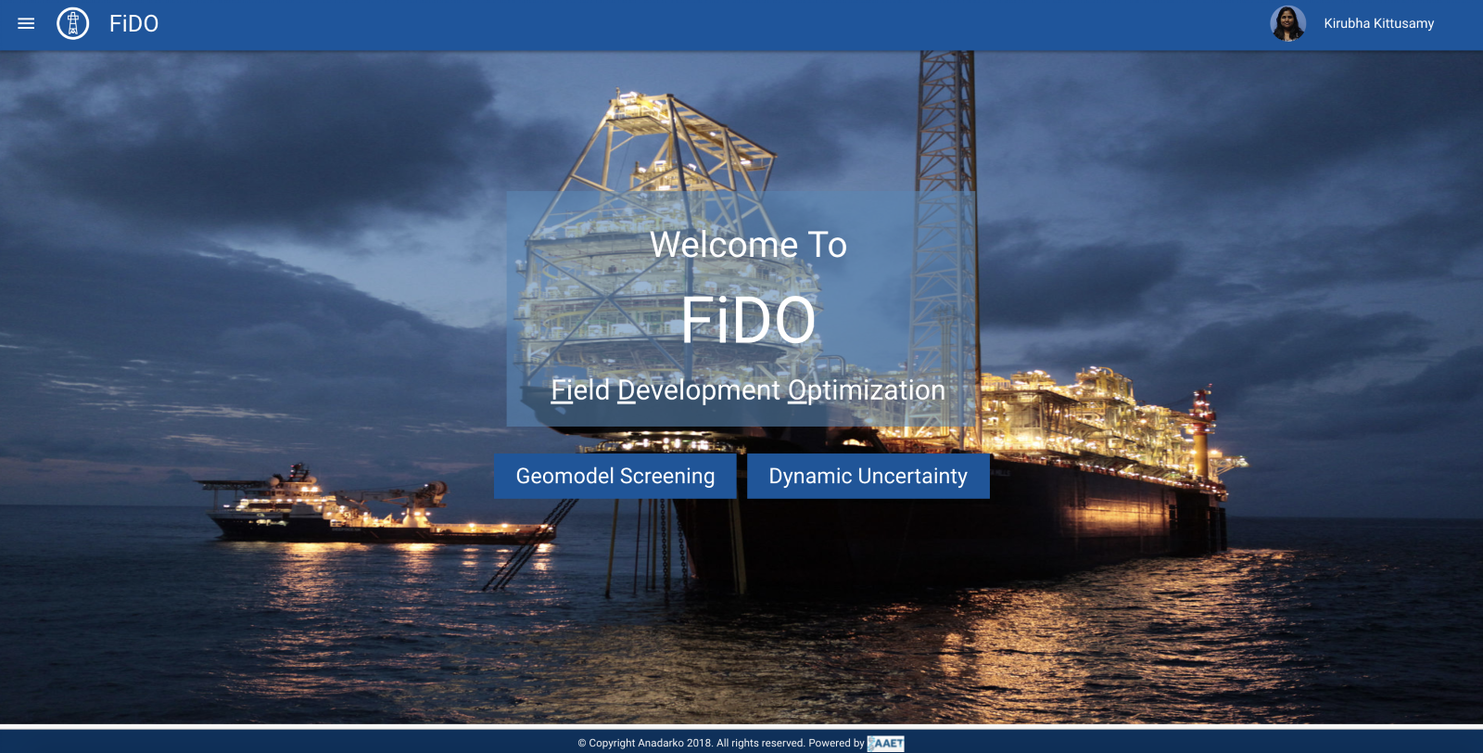
FIDO - Field Development Optimization
Domain: FiDO is a toolkit to enable uncertainty analysis workflows for reservoir characterization and modeling for field development optimization. FIDO helps in decision making for Reservoir Engineers, Geologist, and Petroleum Engineers to help in identifying and reducing uncertainties, by running various models of data to analyze. While a plethora of factors are considered for field development purposes (technical, social, environmental, financial, political, etc.), this tool considers subsurface and economic uncertainties.
FIDO's users are Data scientists/geologists/reservoir engineers, who build AI models and adjust the predictions as accurately as possible with this tool. The experience I designed for FIDO helped in gathering and data prep, developing methods to make clean and meaningful data so that they build the AI model.
Some of their activities include:
Articulating the problem in categories such as classification, clustering, regression, and ranking
Establishing data collection mechanisms
Checking the quality of the data
Formatting data to ensure consistency
Reducing data
Completing data cleaning
Creating new features from existing ones
Joining transactional and attribute data
Rescaling data
Discretizing data
Goals:
- Minimize manual intensive process for FiDO Application
- Automate the process
I learned that the products' primary goal is to help users:
•make the best sense of the data
•analyze trends
•drive decision making.
Hence my recommendations were focused on providing the user with :
•Easy to Use UI
•at-a-glance information used for analysis
•Help decision making
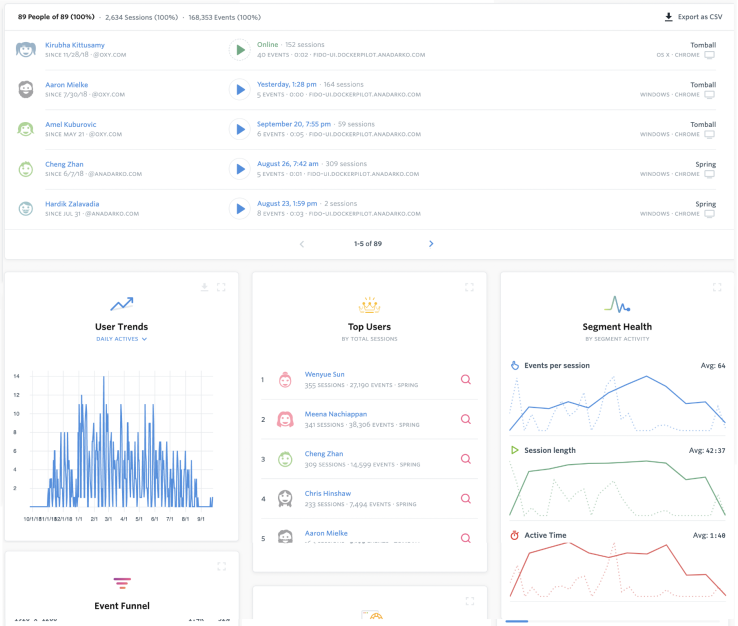
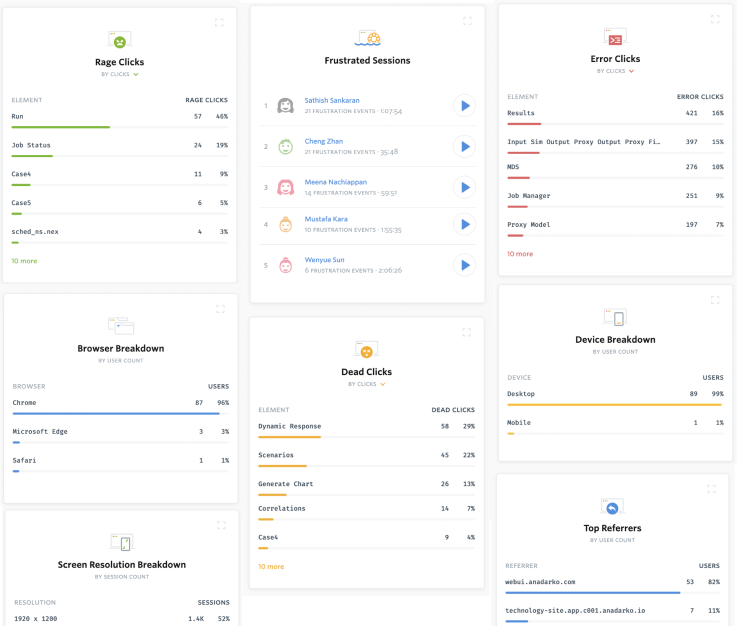
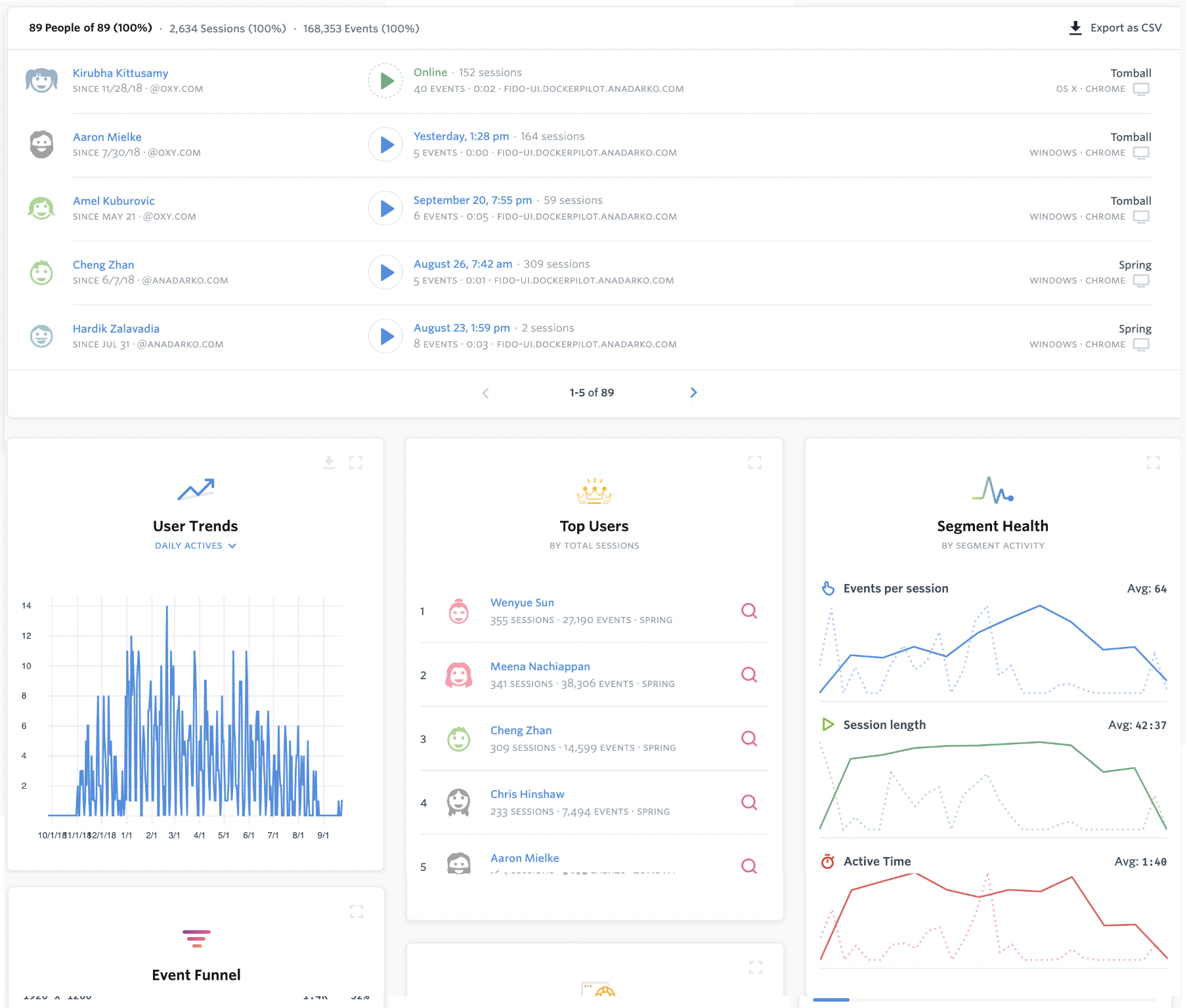
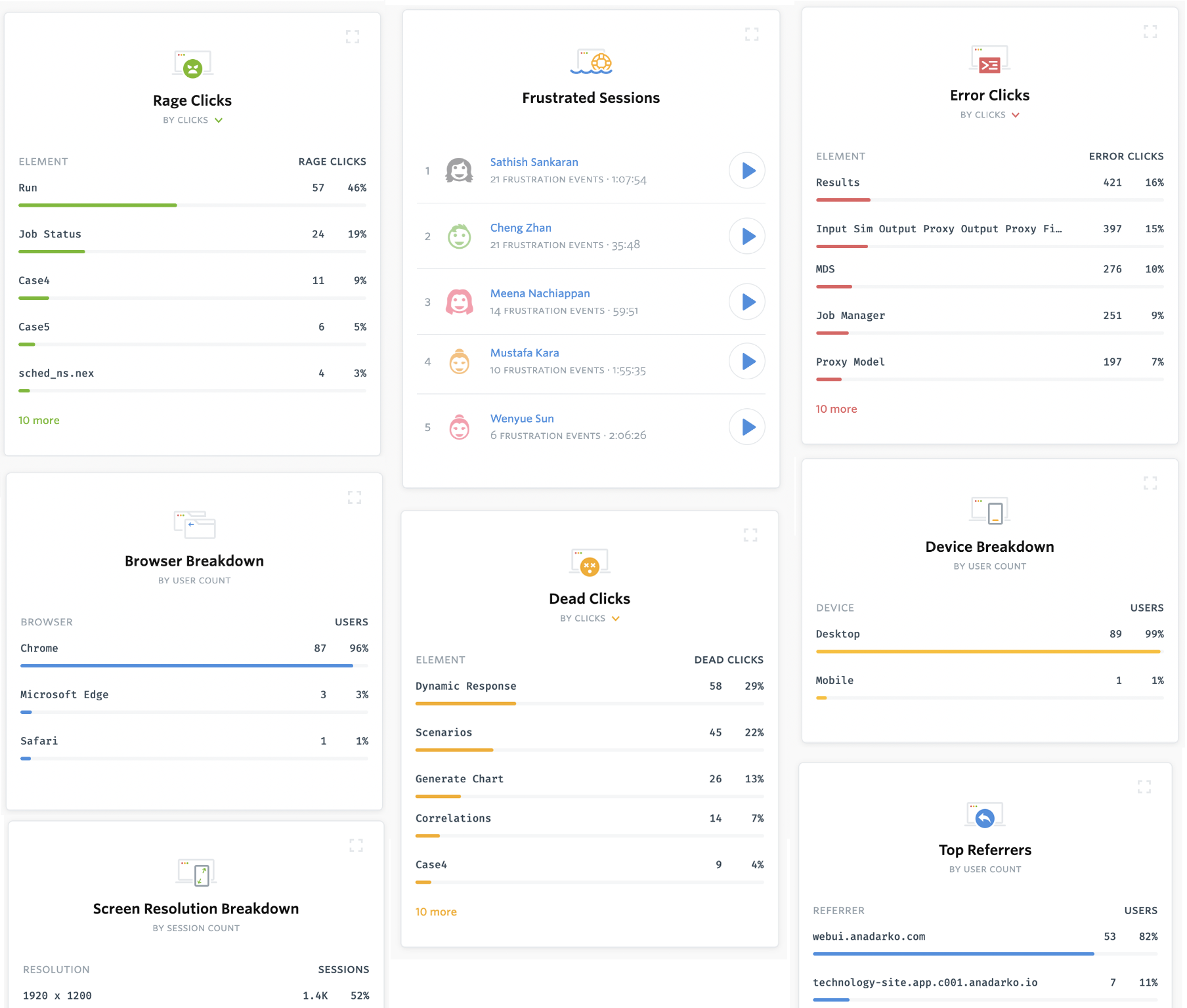
User Analytics Insight: I looked at the web analytics report and the maximum number of users at a time is 10 and a total of 30 to 40 users. The major constraint for this project is Data Availability, Clean Data, Simplified process
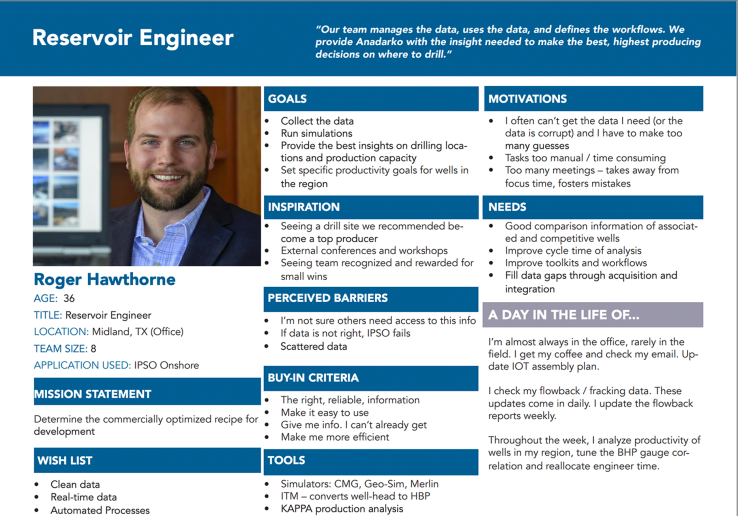
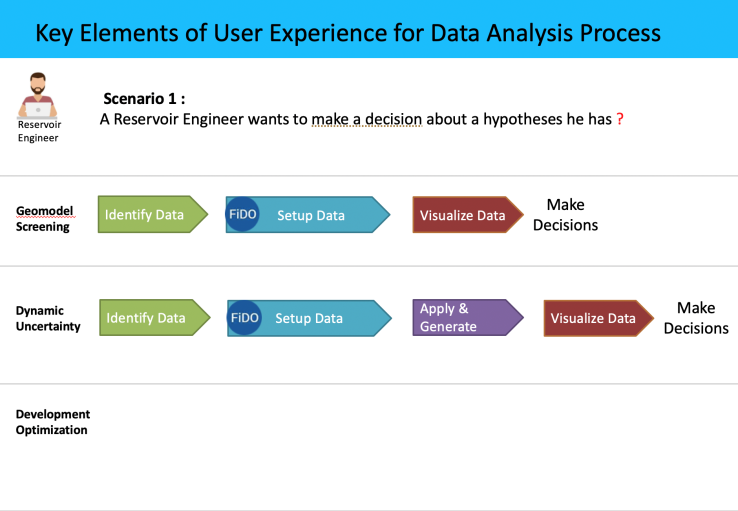

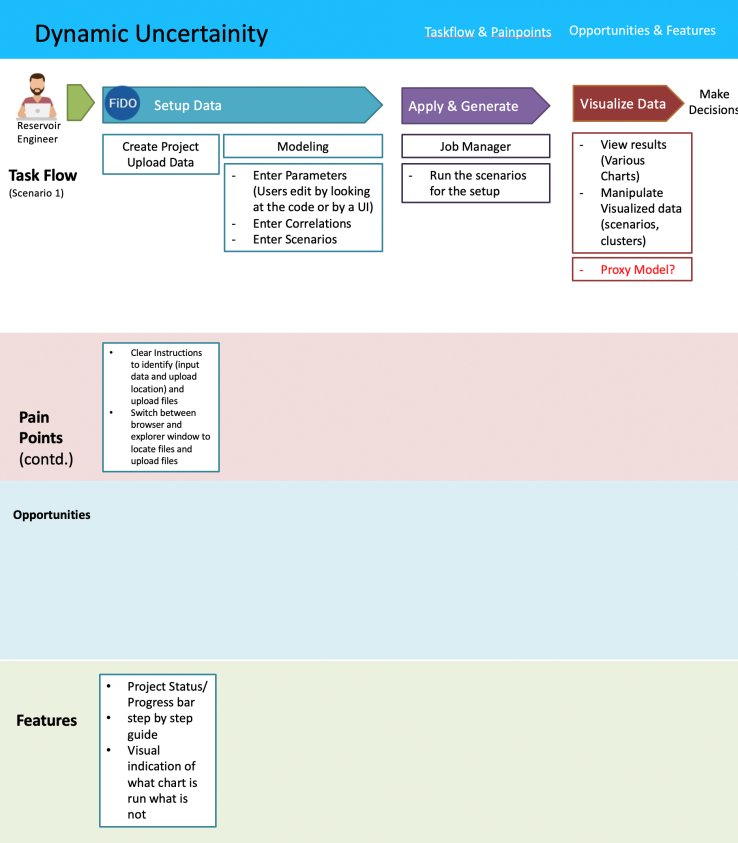
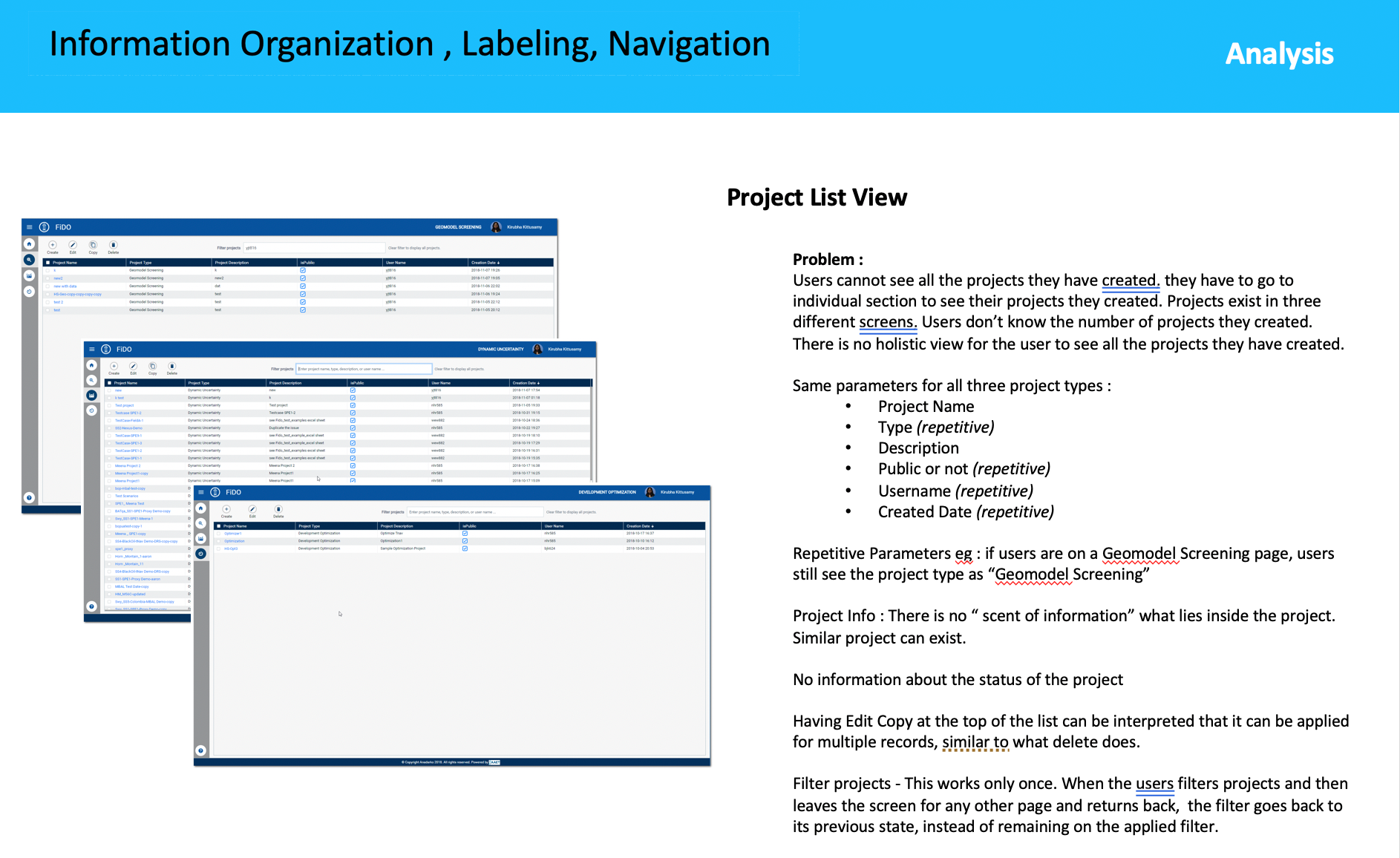
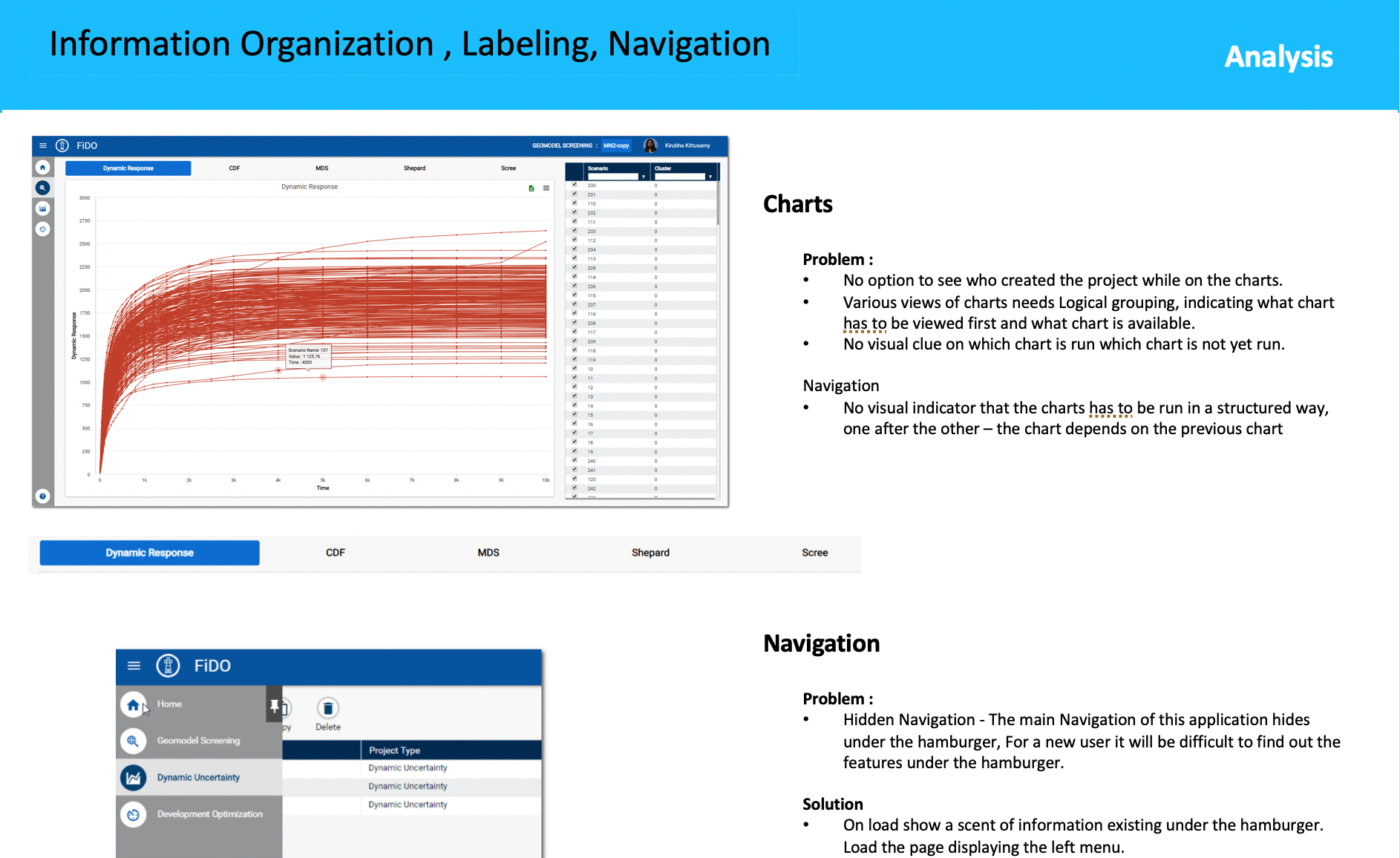
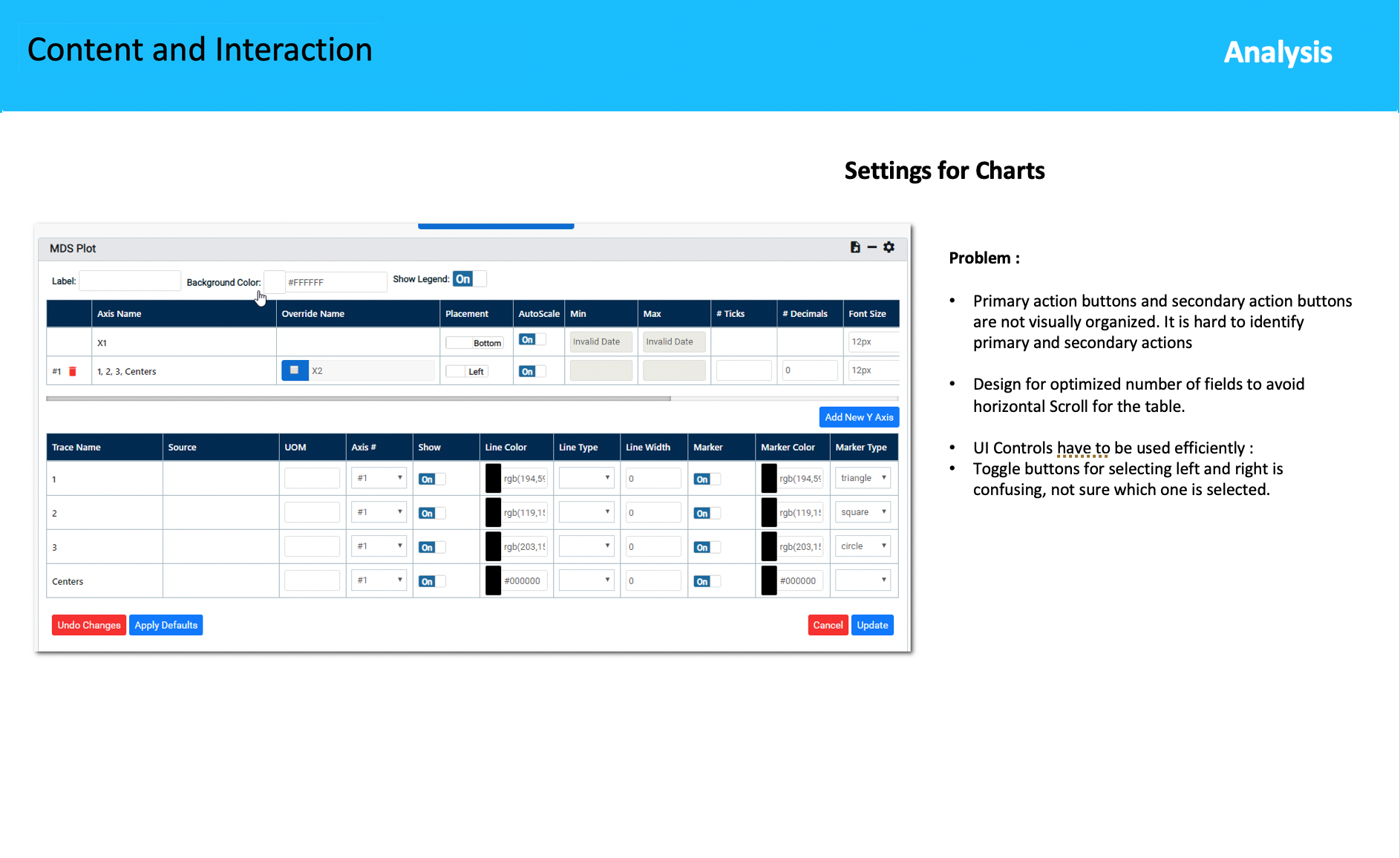
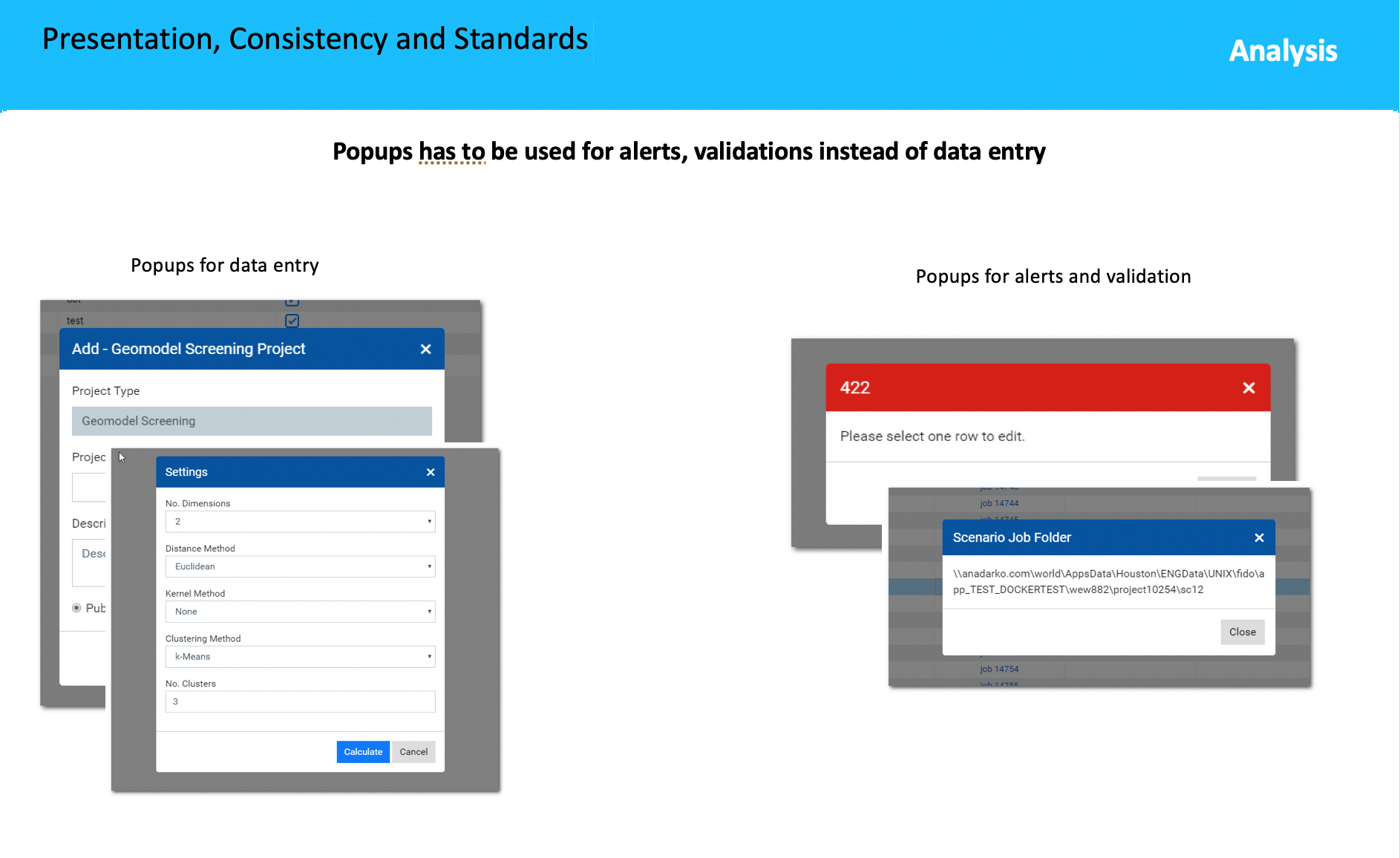
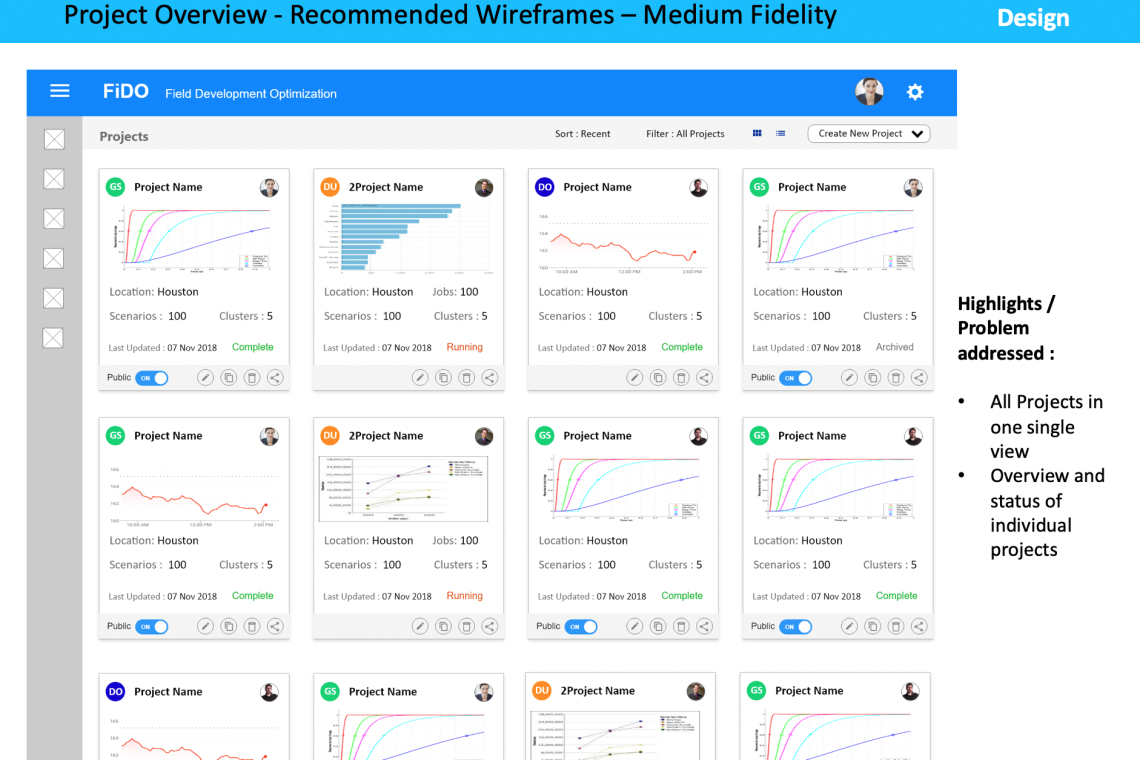
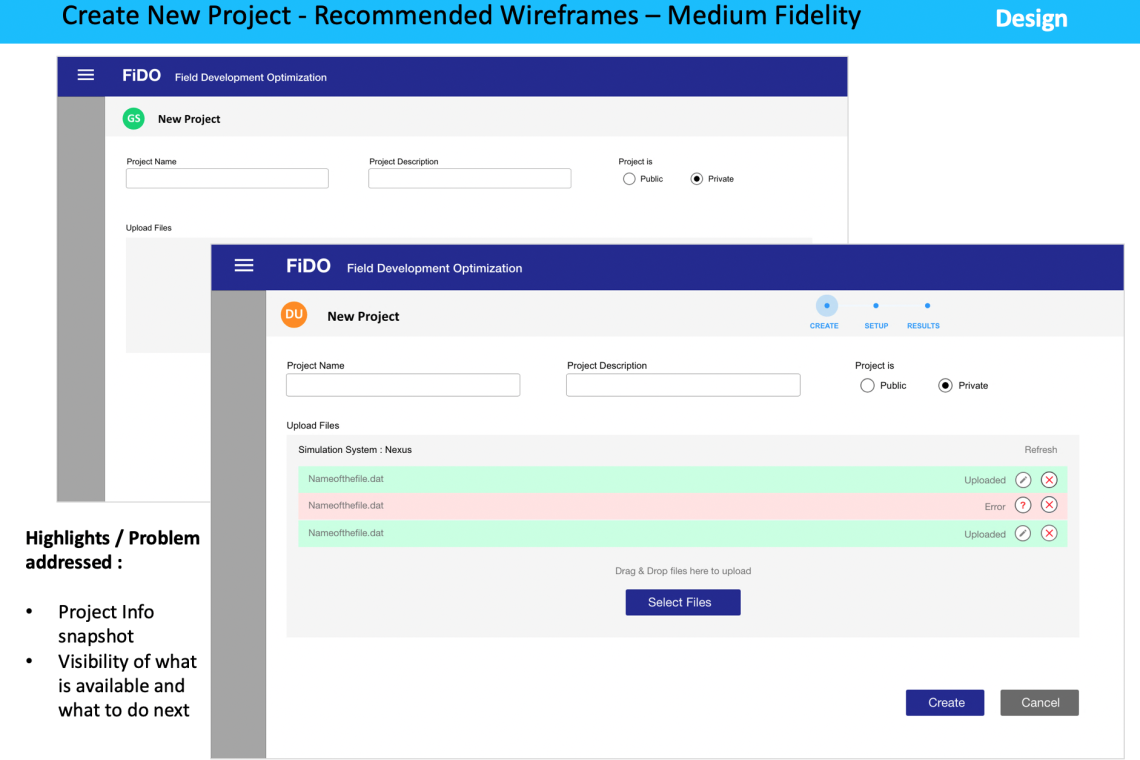
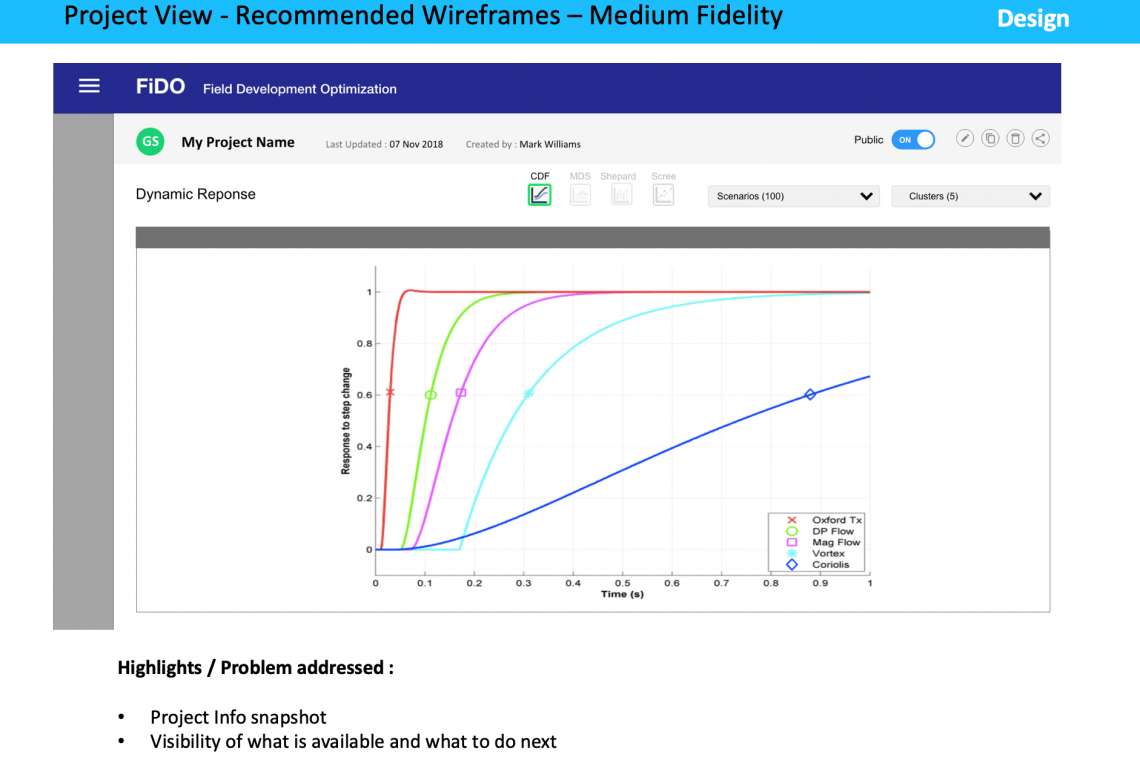


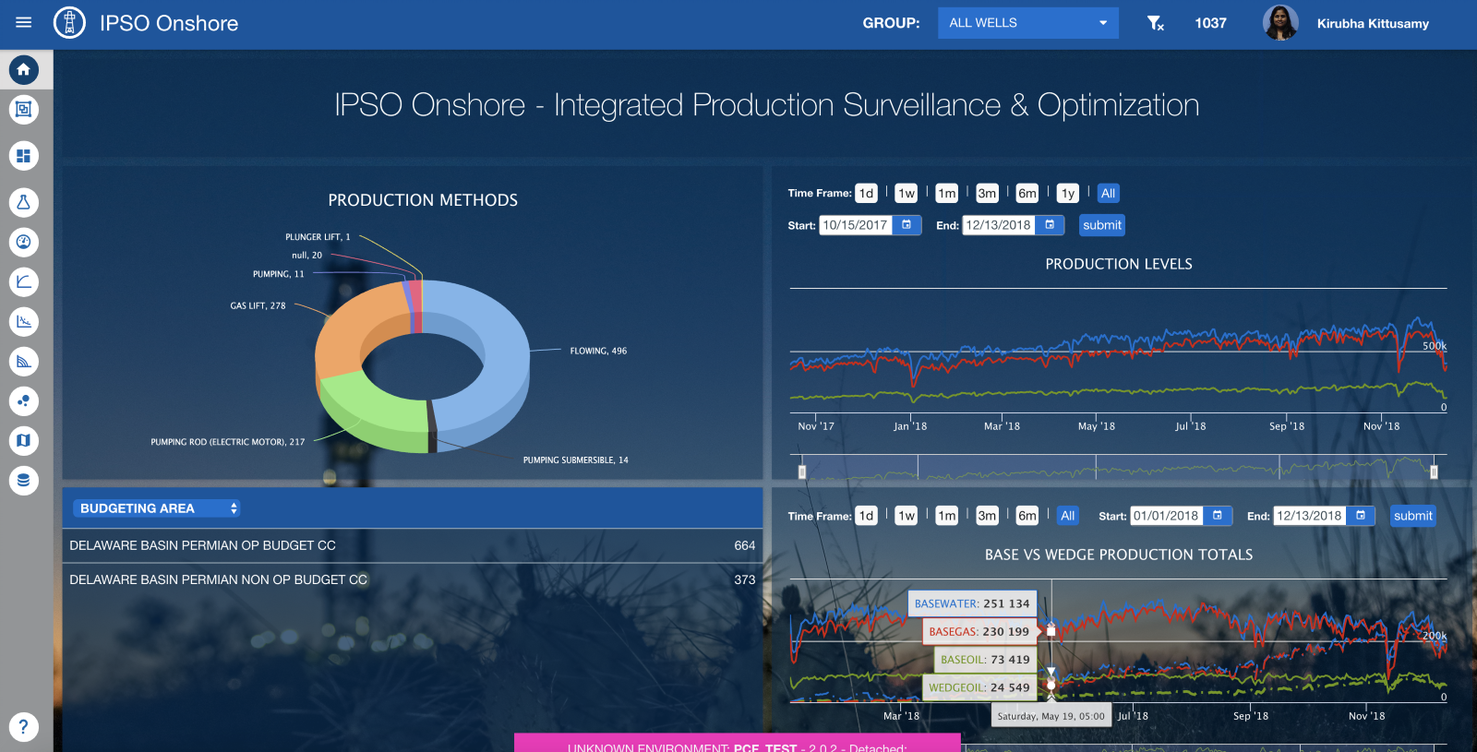
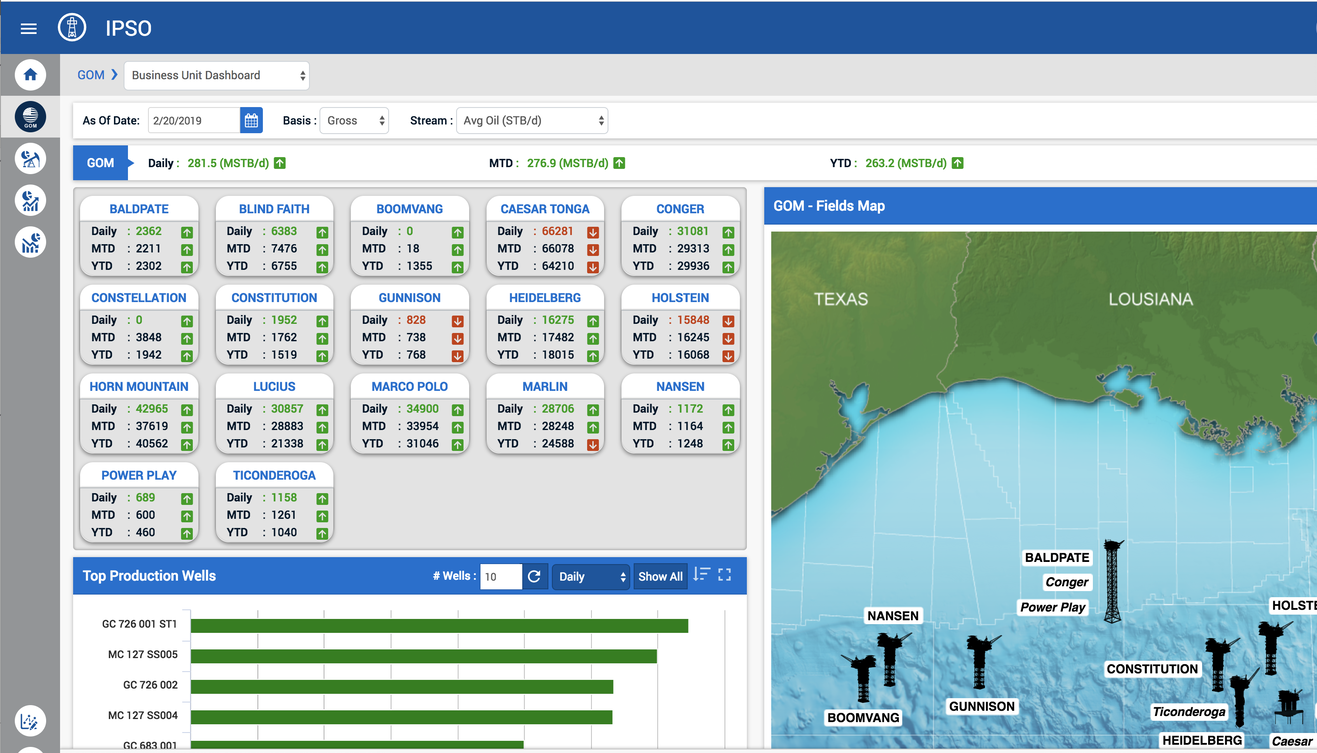



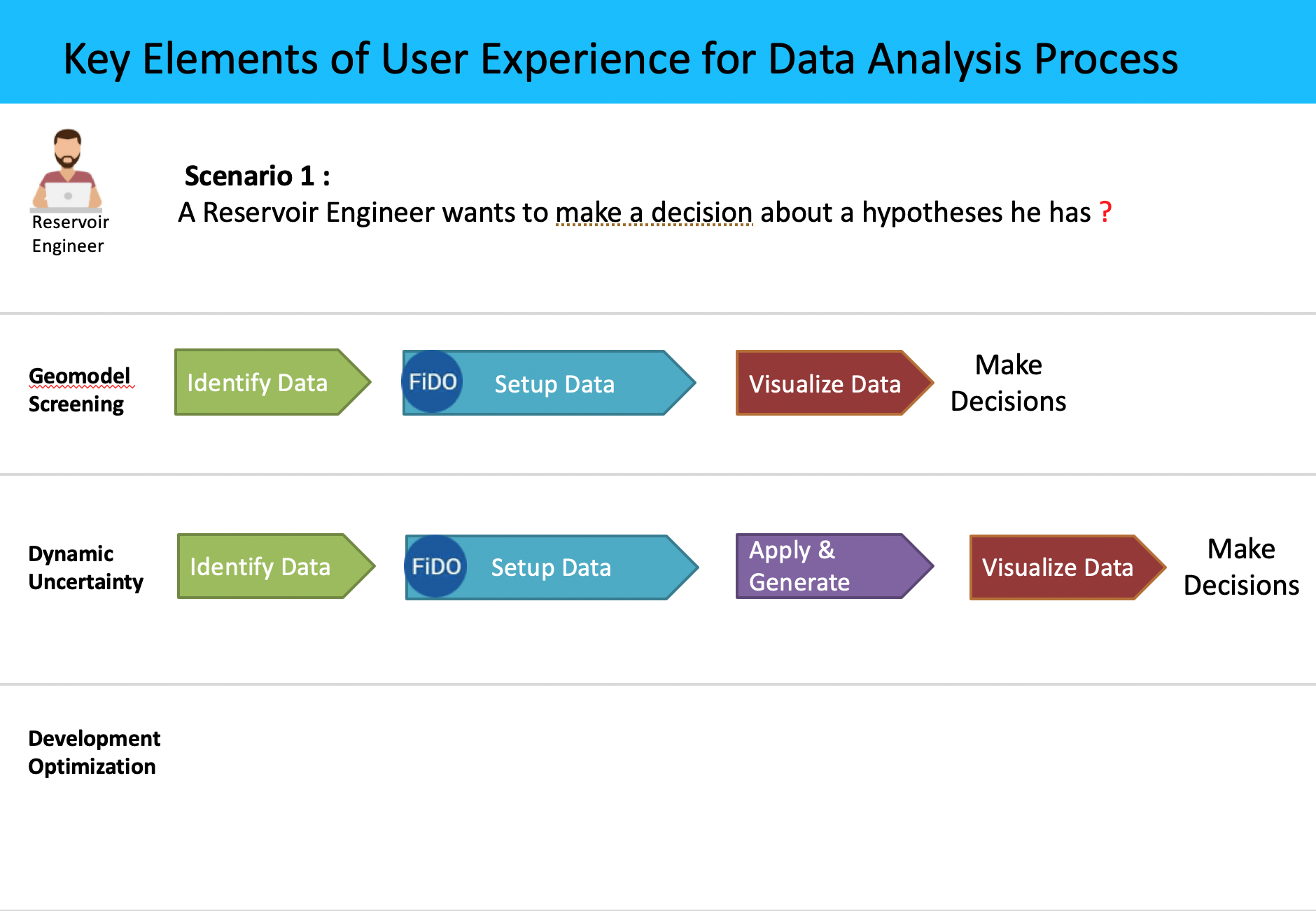
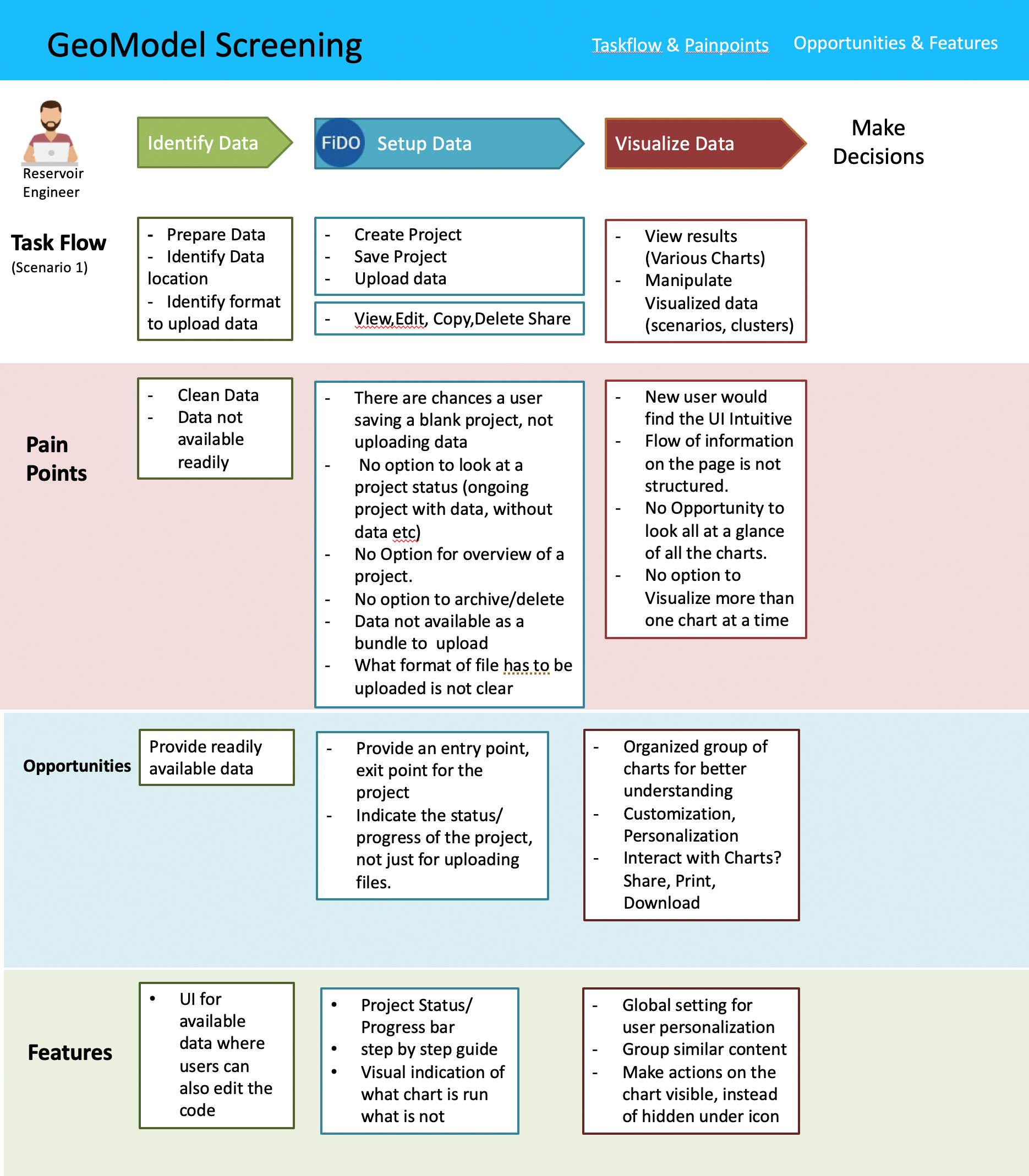
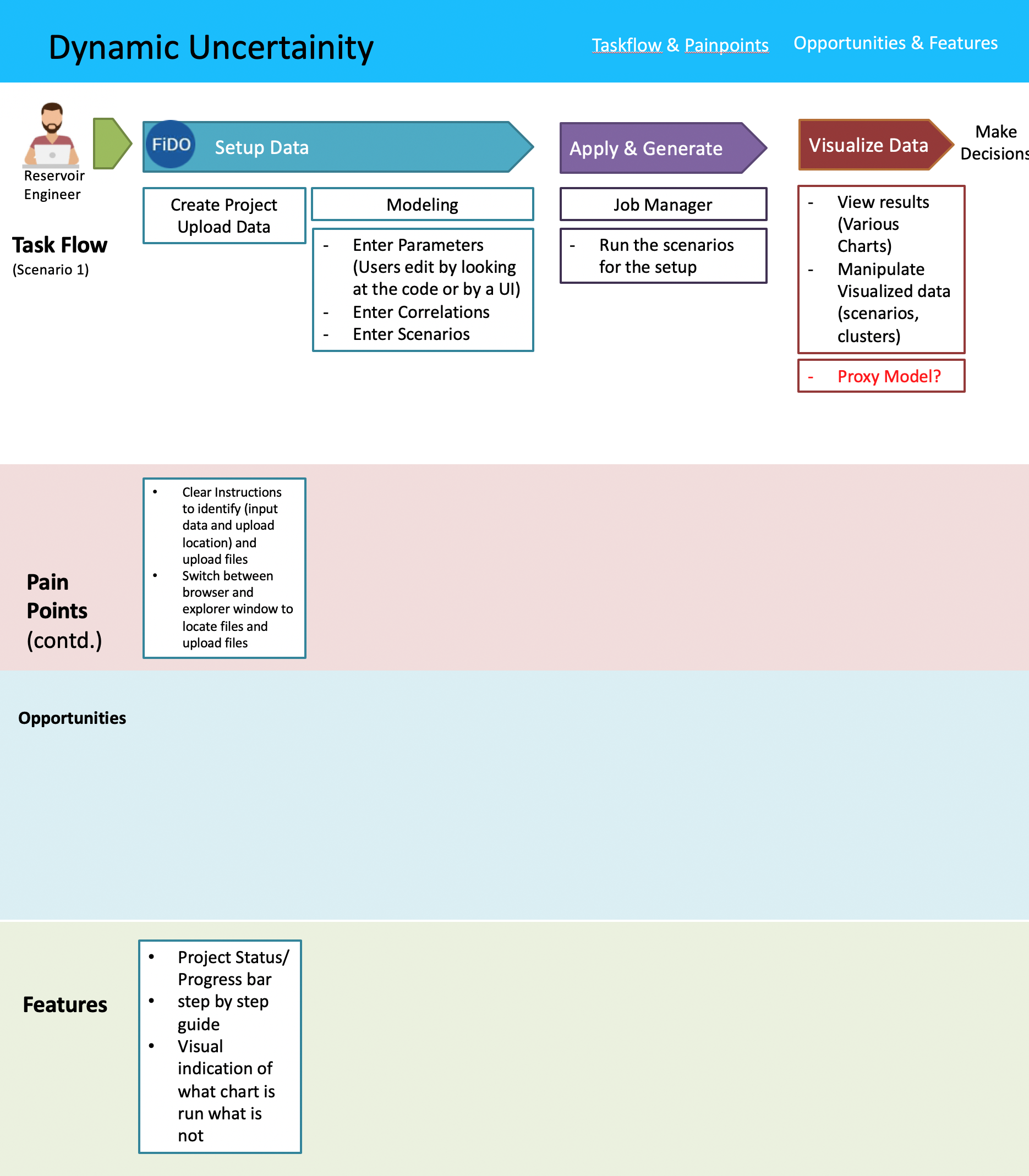
My Deliverables: Interactive Prototype & Wireframes | Consultation for UX Recommendations | Hi-Fidelity Mockups | UI Artifacts
Wireframe Flows - Hi Fidelity - "Objection Function" Feature updates
Link to Adobe XD Prototype: Objective Function